If you write a title, copyright notice, and camera details into a video, will they still exist after an editor exports it and a platform processes the upload? Not necessarily. Understanding metadata for video means knowing what each field describes, where it lives, and how to verify it after the file changes.
Table of Contents
- What Video Metadata Covers and Why It Matters
- Video Metadata Fields by Category at a Glance
- Writing Titles, Descriptions and Tags That Work
- Technical Values for Codec, Frame Rate and Bitrate
- Timed Metadata and Chapter Timelines
- Embedded EXIF, XMP and ID3-Style Fields
- Platform Limits and Streaming Delivery Metadata
- Keeping Metadata Through Transcoding and Upload
- Automate Metadata Updates Safely With an API
What Video Metadata Covers and Why It Matters
Video metadata is structured information about a video asset, distinct from its pictures and sound. Some fields describe the content; others describe the encoding, ownership, or playback timeline.
The main groups answer different questions:
- Descriptive metadata identifies what the video contains through titles, descriptions, subjects, and tags.
- Technical metadata describes its encoding through container format, codecs, dimensions, frame rate, bitrate, and color characteristics.
- Embedded metadata means information stored inside the file, including supported camera tags, XMP packets, and audio-style tags.
- Rights and provenance records ownership, licensing, attribution, and, where supported, signed creation or editing claims.
- Delivery and timed metadata supports distribution and synchronized experiences through manifests, chapters, captions, and event cues.
These groups overlap. Embedded describes a storage location, not a purpose: an embedded copyright notice is also rights metadata.
Why the distinction developed
According to the EBU's history of audiovisual metadata standardization, MPEG-7 work began in July 1997, Project P/Meta launched in 1999, and MPEG-7 later became ISO/IEC 15938. Broadcasters and software developers needed interoperable descriptions that could travel between production, archives, and distribution systems.
That need remains practical. Technical fields help an application decide whether it can decode a file. Descriptive fields help people locate the right content, while rights fields help publishers decide whether they can reuse it.
For a hypothetical product demonstration, MP4 describes the container, H.264 describes the video codec, and AAC describes the audio codec. Product setup demonstration is a descriptive title; a creator credit belongs to rights metadata; a chapter marking installation belongs to the timeline.
Practical rule: Treat the video file and its metadata record as related assets, not interchangeable copies of the same thing.
A field reference therefore needs more than names and definitions. It needs storage locations, processing rules, and evidence that required values survived delivery.
Video Metadata Fields by Category at a Glance
| Category | Typical fields | Where it is stored | Example value |
|---|---|---|---|
| Descriptive | Title, description, tags | Platform form, asset database, or sidecar file | Product setup demo |
| Technical | Container, codec, bitrate, resolution, frame rate, color characteristics | Container and stream headers | MP4 container with H.264 video |
| Embedded tags | EXIF-related capture fields, XMP, ID3-style fields | Inside a supported file or a sidecar | Camera model, creation date, GPS position |
| Rights and provenance | Copyright, licence, C2PA manifest | Asset database, XMP, or signed manifest | Creator name and signed editing claims |
| Timed events | Chapters, caption cues, ad-insertion points | Timed track, sidecar, or external API | Installation chapter at a declared presentation timestamp |
| Streaming and delivery | Manifest, segment duration, signed URL expiry | Manifest file and CDN configuration | HLS segments with a configured target duration and expiring access URL |
| Accessibility | Caption language, audio-description designation | Caption or audio track, manifest, and platform record | English captions with language code en-US |
Read measured properties, author descriptive fields
A parser obtains technical properties from the container, stream headers, and, when necessary, packet analysis. An author doesn't turn a file into a different codec by changing a text tag called codec. Actual encoding properties must agree with the encoded media.
People or APIs author titles, descriptions, and licensing statements. Applications may embed those values, store them in an external record, or do both. A sidecar is a separate companion file, such as an XMP document or caption file, associated with the media asset.
Storage support isn't universal. An editing application might understand an XMP property that a delivery platform ignores. Likewise, an audio tag supported in an extracted soundtrack may have no equivalent destination in the final video container.
Decide which copy is authoritative
A title can exist in a platform form, an embedded packet, and your asset database. If someone updates only the platform form, those copies diverge.
Define an owner for each field:
- Editorial fields should have an approved record that publishing integrations read.
- Measured fields should come from the specific file being described, not from its parent asset.
- Rights fields should reference the approved licence and attribution record.
- Delivery fields should reflect the current distribution configuration.
For a useful parallel in catalog operations, the discussion of catalog accuracy with House of Lyrics provides context for treating metadata management as an ongoing responsibility rather than a one-time entry task.
Use descriptive fields when preparing titles and tags, technical fields when validating encodes, and timeline fields when creating chapters or captions. Inspect embedded families when exchanging files, and delivery records when troubleshooting playback or access.
Writing Titles, Descriptions and Tags That Work
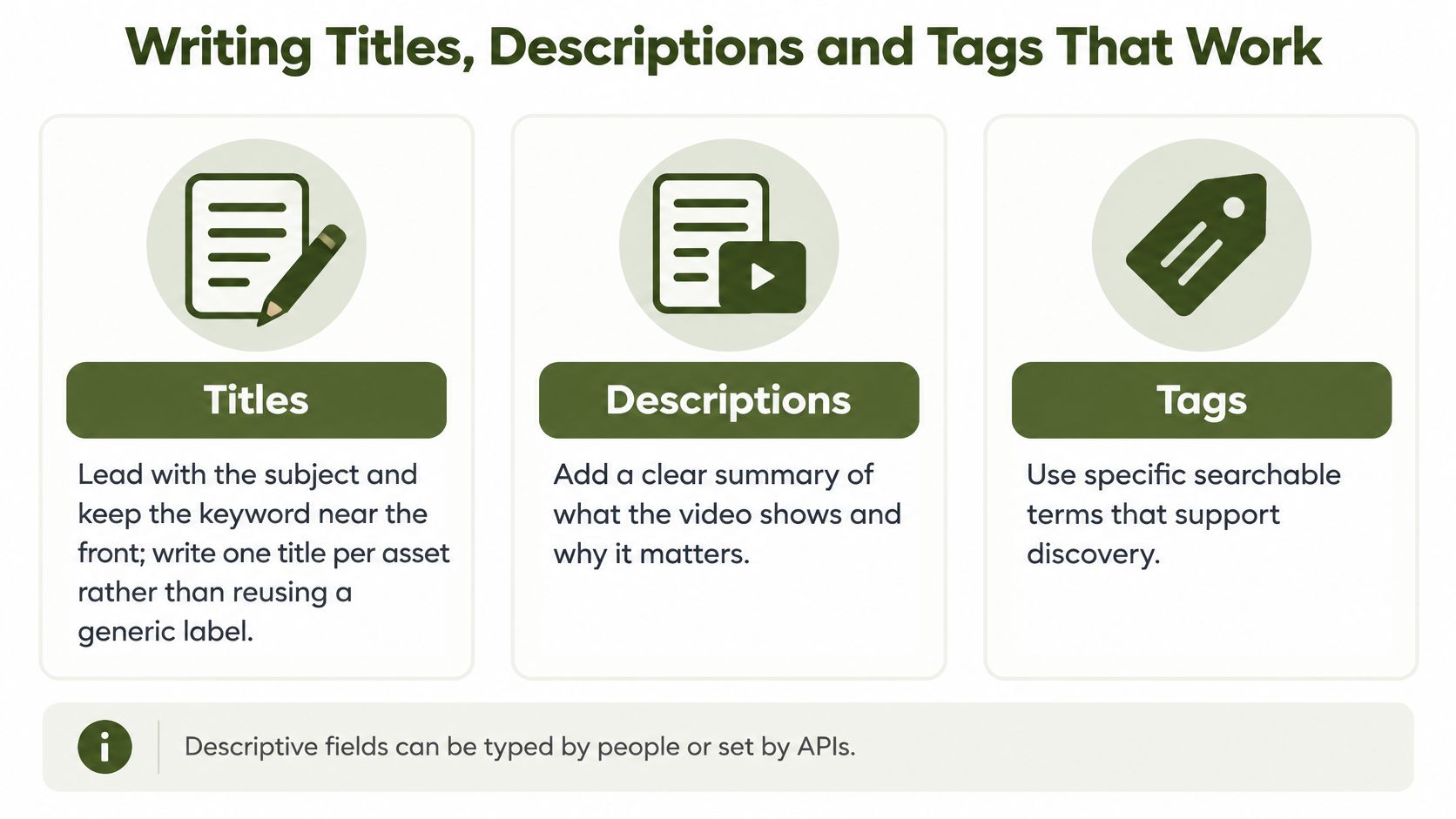
Lead a title with the subject, then add the action or distinguishing detail. Product setup demo is more useful than Final export because readers can identify its purpose without opening it.
Write a distinct title for each publishable asset. A complete demonstration, an installation excerpt, and a troubleshooting clip shouldn't share an indistinguishable label.
The following visual summarizes the editorial choices.
Make each field do a different job
- Titles identify the asset. Put the meaningful subject near the beginning, and avoid internal production shorthand that viewers won't understand.
- Descriptions explain the content. Start with a plain summary of what viewers will learn or see. Add relevant speakers, product names, chapter timestamps, and destination links afterward.
- Tags supply specific classifications. Choose terms supported by the footage or spoken content. Don't add unrelated popular topics or repeat the entire title as separate fragments.
- Filenames support traceability. Use lowercase words separated by hyphens, with a clear revision suffix where needed. Keep filenames recognizable even when a download loses its surrounding platform context.
A title such as Product setup demonstration might pair with a description explaining which installation tasks the footage covers. Tags can identify the product family, installation topic, and intended audience without mechanically duplicating the title.
Keep derivatives distinct without losing their relationship
When repurposing longer footage, describe what the derivative contains. A short clip showing cable attachment shouldn't inherit a description promising a complete installation walkthrough.
For workflows using AI to create YouTube Shorts, include a metadata review after clip selection. Automated segmentation can produce a useful excerpt while leaving an inherited title or description inaccurate.
Keep a stable parent asset identifier, and assign each derivative its own identifier. This lets your application group related analytics without pretending that different edits are the same file.
When updating embedded delivery fields, the practical details in this guide to editing MP4 metadata help distinguish a tag update from a media transformation.
Write metadata that accurately distinguishes this asset from the other assets beside it.
Keyword stuffing doesn't resolve ambiguous labeling. Consistency between the visible title, description, filename, and actual content makes the asset easier to understand and manage.
Technical Values for Codec, Frame Rate and Bitrate
| Field | Common values | Typical use | Note |
|---|---|---|---|
| Container | MP4, MOV, MKV, WebM | Delivery and editing | Check the target device's container and codec combination |
| Video codec | H.264, HEVC, VP9, AV1 | Compatibility and compression | Container support doesn't guarantee codec support |
| Frame rate | Rational frame rates or variable presentation timing | Film, regional broadcast workflows, and high-motion video | Preserve the exact rate rather than a rounded display value |
| Resolution | Landscape, square, or portrait frame dimensions | Platform targets and vertical short-form video | Check pixel dimensions and display aspect ratio |
| Bitrate for HD H.264 | Set from the delivery specification and quality tests | Streaming and web delivery | Motion and texture affect the required bitrate |
| Bitrate for higher-resolution H.264 | Set from the delivery specification and quality tests | Higher-resolution delivery | Inspect fast scenes for blocking and detail loss |
| Color characteristics | Primaries, transfer characteristic, matrix coefficients, range | Color accuracy and HDR delivery | A single color-profile label isn't sufficient |
| Audio | AAC or another supported codec, sample rate, channel layout | Web delivery and editing | Confirm codec, layout, and sample rate separately |
Separate the wrapper from the encoding
The container organizes streams, timestamps, indexes, and supported tags. The codec specifies how a video or audio stream is compressed. An .mp4 extension alone doesn't tell you which decoder a viewer needs.
H.264 is a practical compatibility-oriented delivery choice. HEVC, VP9, and AV1 can be useful alternatives, but choose them against your actual browser, device, and licensing requirements. WebM also restricts which codec combinations belong in that container.
The EBUCore framework separates identification, description, technical characteristics, rights, and publication information; its technical modeling supports preserving exact values such as 30000/1001 rather than rounded 29.97. That distinction matters when frame counts and edit boundaries must remain reproducible.
Read fields with their units and scope
In ffprobe, useful stream-level fields include:
codec_nameandcodec_typeidentify the encoding and whether the stream is video, audio, or another type.widthandheightreport encoded frame dimensions in pixels. Checksample_aspect_ratioanddisplay_aspect_ratiobefore assuming the display shape.avg_frame_rate,r_frame_rate, andtime_basedescribe different timing properties. Neither frame-rate field alone proves constant frame timing.bit_rateis expressed in bits per second when available. Stream bitrate and container-level aggregate bitrate aren't interchangeable.pix_fmt,color_primaries,color_transfer,color_space, andcolor_rangedescribe different aspects of pixel representation and color interpretation.sample_rateandchannel_layoutdescribe audio sampling frequency and speaker arrangement.
Treat missing values as unknown, not as zero. Some containers don't declare reliable stream bitrates, and variable-frame-rate sources require timestamp inspection for precise timing work.
Don't label an asset HDR solely because its color primaries use a wide gamut. Transfer characteristics, bit depth, mastering information where applicable, and the actual pixel processing all matter.
Store a record that distinguishes source from output
An illustrative record for a demonstration clip can include asset_id=demo-main, container=mp4, video_codec=h264, audio_codec=aac, scan_type=progressive, language=en, and channel_layout=stereo. Populate duration, frame dimensions, exact frame rate, bitrate, sample rate, and color fields from the probe rather than hand-entered expectations.
Add the creation timestamp, source identifier, transformation profile, command, and software version. Store derivative measurements separately instead of overwriting the master's record.
Use this video compression for the web reference when deciding how encoding choices should balance delivery constraints and visual quality.
Timed Metadata and Chapter Timelines
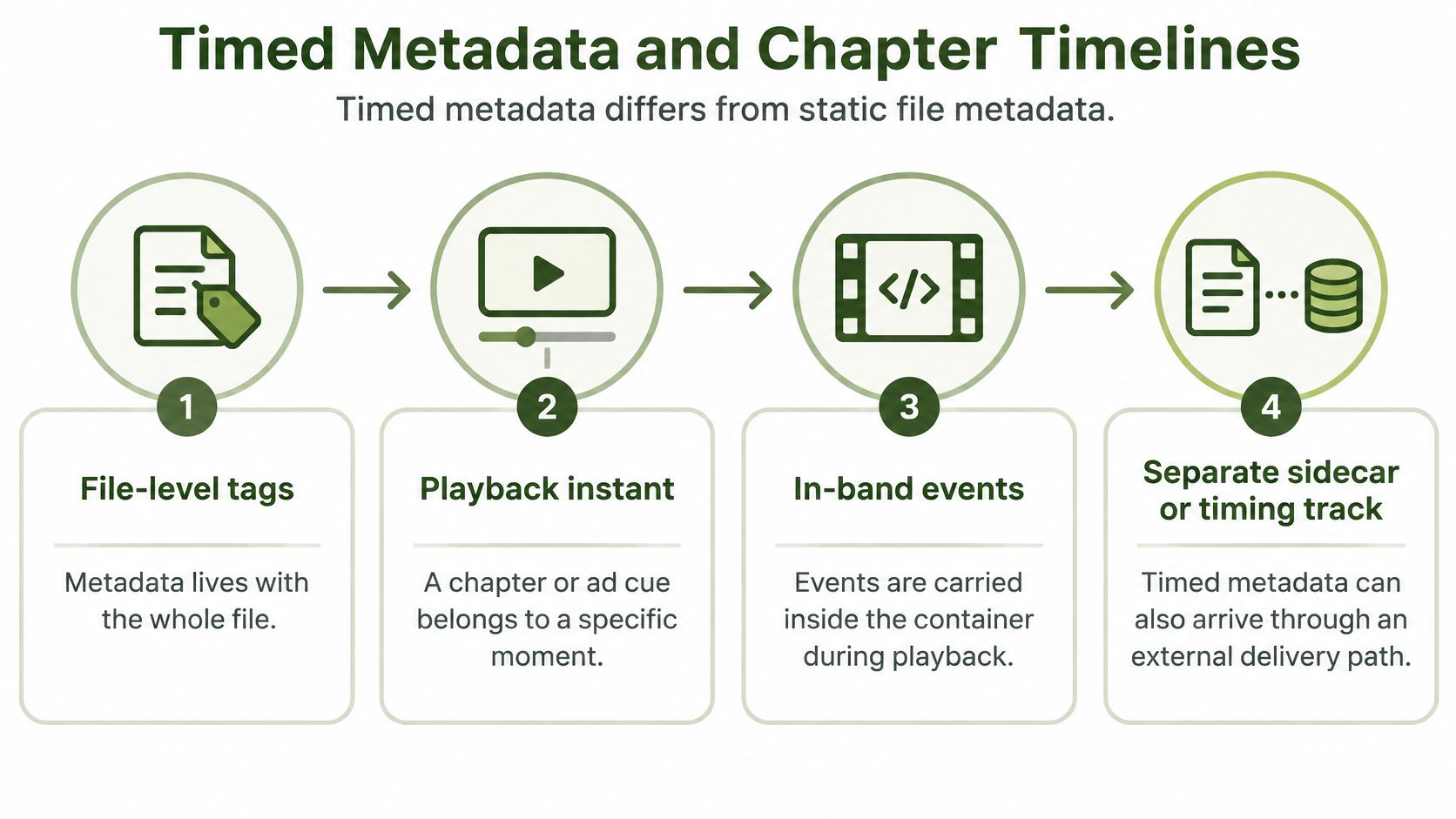
A file-level title describes the whole asset. A chapter, caption cue, or ad event belongs to a playback instant or interval. Its meaning depends on synchronization with the media.
In-band events travel inside the media container or multiplexed stream. Out-of-band events arrive through a separate caption file, timing track, manifest reference, or API.
This visual distinguishes those delivery paths.
Give every event an explicit timing contract
Record the following alongside the payload:
- Event identity through a stable
event_idand payload type. - Timing through
start_time, an optionalend_time, and a declaredtime_base. - Interpretation through a schema version and synchronization policy.
- Timestamp semantics stating whether values refer to presentation time, decode time, frame position, or SMPTE timecode.
Presentation timestamps control when decoded content should appear. Decode timestamps describe processing order, which can differ from display order. A wall-clock creation timestamp doesn't replace either one.
Variable-frame-rate sources, edit lists, and stream discontinuities complicate simple timestamp arithmetic. Perform timeline conversions using explicit units and preserve the source timing context.
Work through a chapter edit
Consider a hypothetical ten-minute tutorial with the following chapter starts:
| Chapter | Source start |
|---|---|
| Introduction | 00:00:00.000 |
| Preparation | 00:02:15.000 |
| Installation | 00:05:40.000 |
| Verification | 00:08:10.000 |
Suppose you extract a three-minute clip beginning at 00:05:00.000. Under a rebase-and-filter policy, Installation moves to 00:00:40.000, while chapter starts outside the excerpt are excluded.
Captions spanning the cut require interval handling: intersect the cue with the retained source range, then rebase its surviving portion. A chapter that began before the cut may need a generated opening chapter if the product requires continuous chapter coverage.
Validate the edges and preserve recovery information
Declare whether intervals include their endpoint. Test events exactly at the beginning, immediately before the end, and at the excluded end boundary.
For preservation and recovery, the Library of Congress digital preservation guidance identifies video data rate as a required technical element and recommends retaining original production resolution and frame rate where possible. Retain source identifiers, checksums, and processing history alongside the event record so developers can reconstruct timing decisions.
Embedded EXIF, XMP and ID3-Style Fields
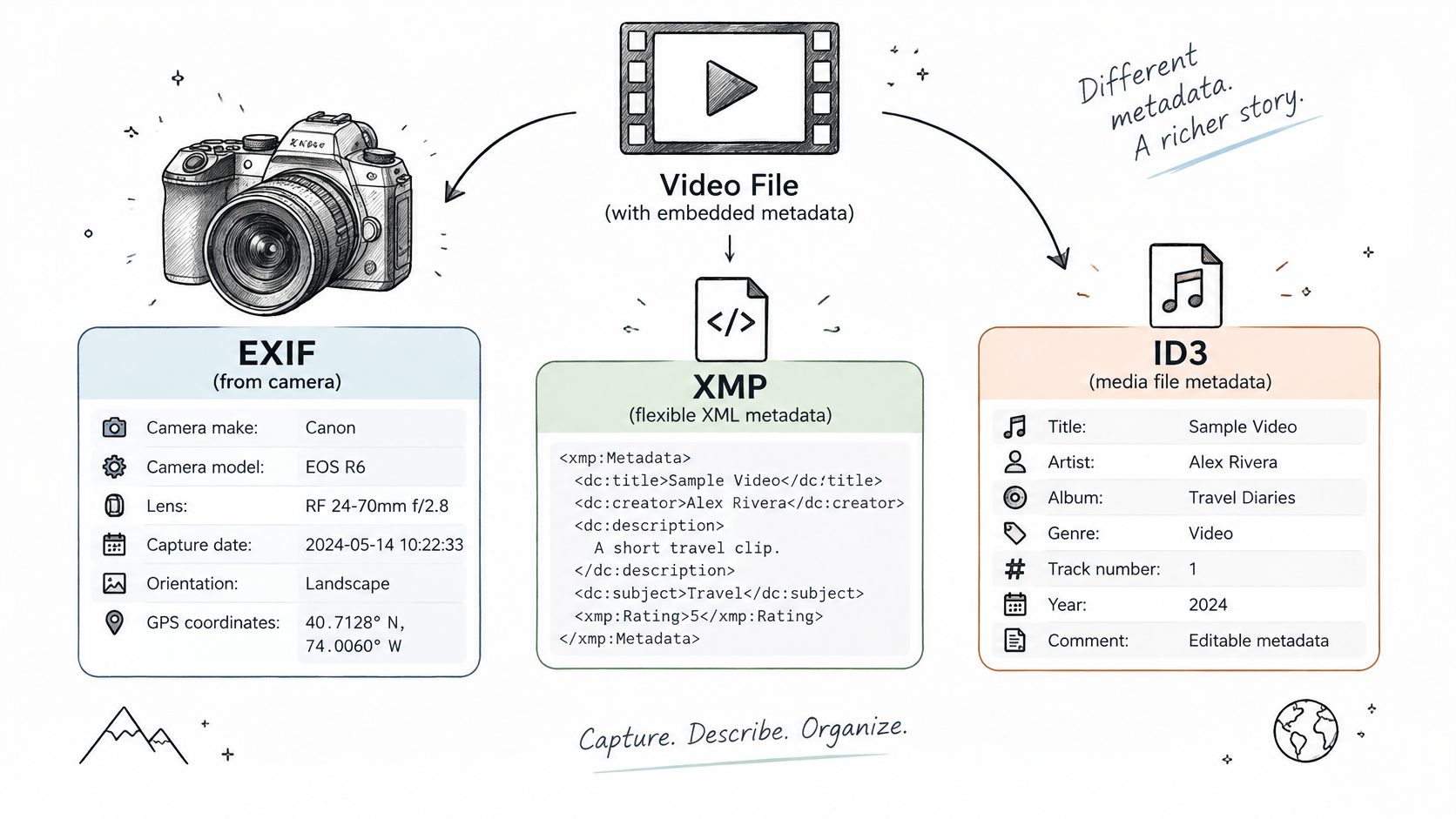
Which metadata fields survive when a video moves from camera to editor to platform? EXIF, XMP, and ID3 are different formats, and video containers support them unevenly. A camera's capture data, an editor's descriptive packet, and an audio track's artist field may each use different conventions.
The following visual groups these families by their typical roles.
Compare the families before choosing a tool
EXIF is associated with capture information such as camera make, model, capture time, orientation, and location. In video workflows, similar information may instead live in QuickTime-specific structures or manufacturer metadata. A camera field is not necessarily an EXIF tag.
XMP is an extensible XML-based metadata format. Applications can use it for titles, creators, keywords, rights statements, and editing information, stored either in the media file or in a sidecar.
ID3-style fields describe familiar audio properties such as title, artist, album, and track. Support depends on the format. An MP4 audio title may use a different underlying tag structure, even if an application displays a similar field name.
Inspect the file at both the container and tag levels:
- Container and stream inspection:
ffprobe -v error -show_format -show_streams -of json input.mp4 - Broader tag inspection:
exiftool -a -G -s input.mp4 - A supported container-title update:
ffmpeg -i input.mp4 -map 0 -c copy -metadata title="Product setup" output.mp4
The final command requests a remux without re-encoding. It does not write every EXIF or XMP property, and the output muxer may ignore unsupported fields. Check the resulting file to confirm which values survived.
For a complementary visual explanation, use the embedded video below.
Separate privacy from signed provenance
Before publishing, inspect GPS coordinates, device identifiers, and personal names. Remove fields that are not needed, then inspect the output file: a removal operation may not cover every metadata family.
A signed manifest serves a different purpose from descriptive tags. C2PA-style provenance can make alterations detectable, but it does not guarantee that a creator's assertions are true.
Publishing decision: Keep useful descriptive tags, add signed provenance when your trust workflow requires it, and remove unnecessary personal information before distribution.
Validate signed manifests with a provenance-aware tool. A text tag that says “creator verified” is not a substitute for cryptographic verification.
Platform Limits and Streaming Delivery Metadata
Platform limits depend on the publishing route. YouTube's upload interface and API, for example, can expose different capabilities, so validate against the route you use.
| Platform | Title field | Tags or hashtags |
|---|---|---|
| YouTube | Up to 100 characters (YouTube video resource) | Up to 500 characters across all tags, including spaces between tags (YouTube video resource) |
| Instagram Reels | Caption, rather than a separate conventional title | Hashtags are included in the caption; the limit depends on the publishing route |
| TikTok | Caption, rather than a separate conventional title | Hashtags are included in the caption; the limit depends on the publishing route |
Validate each field before submission. If a value exceeds the route's limit, return an error that names the field and preserves the intended text for editorial correction. Silent truncation can remove meaning or leave a tag incomplete.
Platform descriptions and streaming manifests serve different purposes
A platform description helps viewers understand a video. An HLS multivariant playlist advertises playback alternatives through attributes such as BANDWIDTH, RESOLUTION, and CODECS, with related rendition information where needed.
A DASH MPD expresses presentation structure and available representations in XML. Players use these declarations to select compatible media and adapt playback to available bandwidth.
Segment duration affects seeking granularity and switching opportunities, but shorter segments are not automatically better. Encoding alignment, player behavior, request overhead, and live latency requirements also shape the choice.
Generated annotations or media-model outputs belong in the analysis workflow, separate from delivery configuration. Developers connecting media analysis to an application can consult this guide to integrating media models.
Distinguish caching from authorization
CDN settings govern delivery behavior. Content type helps clients interpret a response, cache keys determine which requests share cached content, and cache lifetime influences how long an older object remains available.
Changing a title does not reliably replace an older cached thumbnail. Use deliberate invalidation or versioned object paths when publishing replacements.
A signed URL authorizes access using a signature and expiry policy. If authorization expires, a fetch can fail even though the stored media remains intact. Keep the stable object identity separate from its temporary access URL.
Verify the release through the viewer's path
- Check editorial fields after the platform accepts the upload.
- Inspect playback variants for codec declarations, dimensions, and audio availability.
- Confirm accessibility through selectable captions and correctly designated audio tracks.
- Exercise access controls using the same authorization path viewers will use.
- Review cache behavior after replacing media or artwork.
Keep the approved asset record independent of the platform's representation. A publishing response confirms acceptance, not that every field was preserved.
Keeping Metadata Through Transcoding and Upload
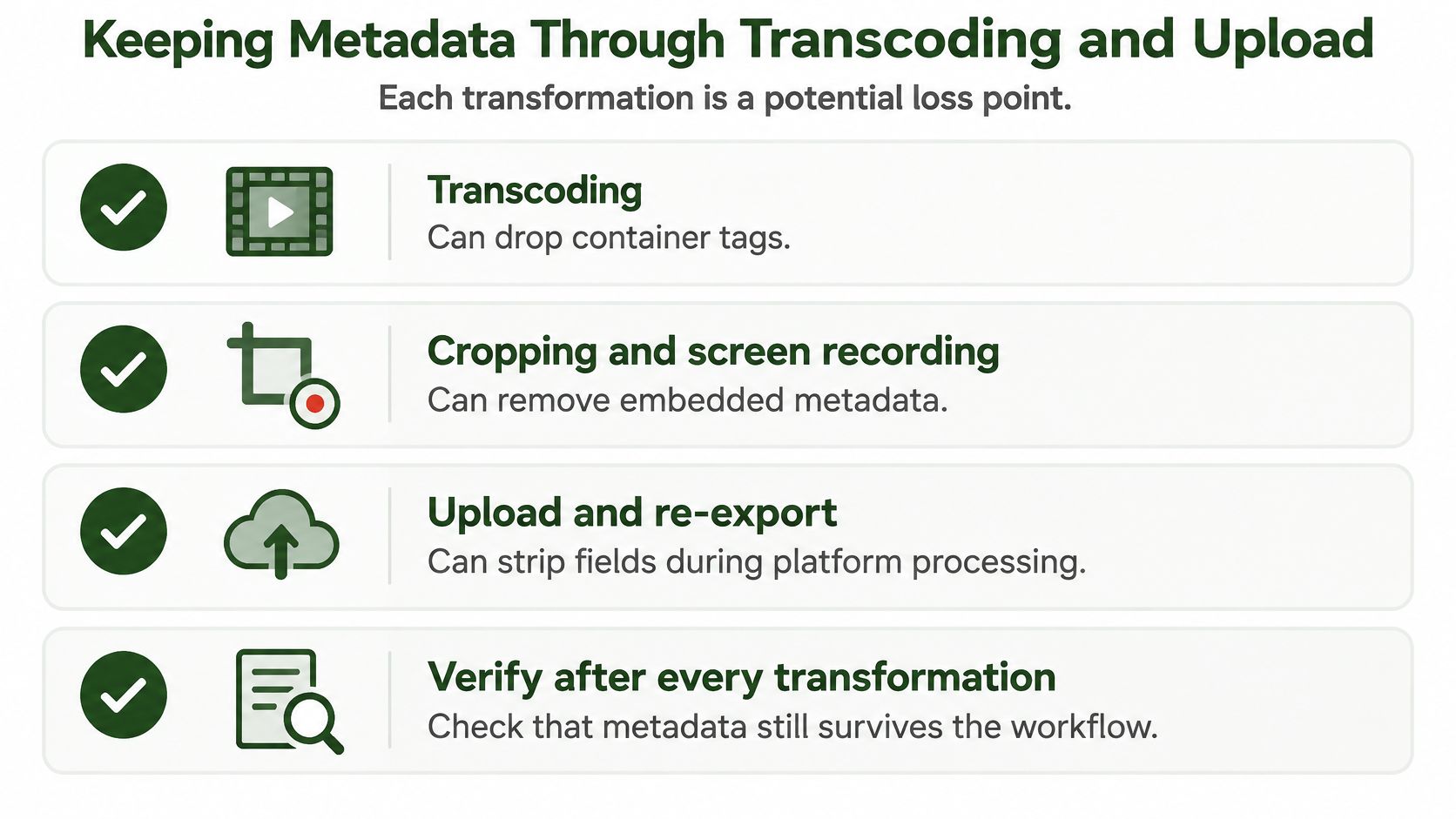
Embedding metadata once doesn't preserve it indefinitely. A transformation can produce playable video while discarding the information your attribution, search, or compliance workflow needs.
An ETASR study of metadata handling documents metadata removal associated with Instagram distribution. Treat uploads as processing operations, not as passive copies.
The loss points below belong in your verification plan.
Compare actual results against an expected-change policy
Before processing, save a probe record and a broader tag inventory. After processing, inspect the output and classify each difference:
- Expected changes include dimensions after resizing, codec after transcoding, and duration after trimming.
- Required survivors might include the approved title, creator credit, and licence reference.
- Required removals might include GPS coordinates and private device identifiers.
- Trust changes include missing or invalid signed provenance.
Don't compare raw records blindly. Normalize ordering and harmless formatting differences, but retain original snapshots for auditing.
A remux can preserve ordinary tags when explicitly mapped and supported by the destination container. It isn't a universal preservation guarantee. Cropping generally requires decoding and re-encoding, while screen recording creates a new capture that doesn't inherit the original file's embedded records.
Repair semantics, not just missing strings
Suppose a master becomes a portrait excerpt. The output retains its title but loses color signaling and its signed manifest.
Don't copy every missing value back. Restore color declarations only after confirming the output's actual pixel processing and intended interpretation. Copying an HDR label onto an SDR conversion creates incorrect metadata.
Likewise, an old signature can't be made valid by reattaching it to altered content. Use a provenance-aware derivative workflow that records the transformation and signs the new asset where appropriate.
The audit record should explain what changed, what was preserved, and what could no longer be verified.
Maintain a survivability matrix by tool, container, transformation, and destination. Inspect downloadable platform outputs where permitted, and mark fields as unverifiable when the destination doesn't expose them.
Automate Metadata Updates Safely With an API
A dependable automation job produces both a derivative and an auditable record of how it was made. Keep inspection, modification, validation, and delivery as separate operations, even when an API orchestrates them together.
Build a repeatable processing transaction
Probe and identify the source. Run
ffprobe, store its structured output, and associate it with a stable asset identifier and checksum. Preserve a separate embedded-tag inventory when camera or XMP properties matter.Apply intentional updates. Use supported FFmpeg options such as
-metadata title="Product setup". Use-metadata:s:vfor supported video-stream tags, but don't confuse tag assignment with changing encoded technical properties.Process and validate the output. Store the command, software version, transformation profile, and output probe. Compare the result against the job's expected-change policy before marking it ready.
Publish through temporary access. Transfer the result using an authorized storage mechanism such as a signed URL. Record its expiry separately so an expired fetch can be retried with fresh authorization rather than unnecessary reprocessing.
Make retries idempotent. Bind an idempotency key to the asset, requested transformation, and relevant metadata revision. Repeating the same request should return the existing job or result rather than create another derivative.
Retry failures without duplicating work
A network timeout doesn't tell you whether processing failed. The server may have completed the job while the client lost the response.
Persist the job identifier before retrying, and look up its state first. If a request changes meaning, such as a new crop or revised attribution, use a new operation identity rather than reusing an old idempotency key.
For implementation patterns, this FFmpeg API integration guide explains how command execution fits into a service-based workflow.
Retain full FFmpeg stderr and classify errors. Temporary connectivity failures may justify retries; invalid commands, unsupported formats, or inaccessible source permissions usually require correction.
Define the acceptance checklist
- Preserve deliberately: Name the descriptive and rights fields required on every output.
- Recompute accurately: Derive technical values from the resulting file.
- Remove intentionally: Apply an explicit privacy policy.
- Verify independently: Validate captions, playback, and signed provenance with appropriate tools.
- Audit durably: Store commands, snapshots, job identities, and publication results outside temporary output storage.
RenderIO offers a cloud FFmpeg and yt-dlp API with signed output URLs, idempotent requests, webhook retries, a dead letter queue, and full stderr on failure. Visit RenderIO to build a probe-process-verify workflow around a real asset, then check that its required metadata survives before expanding to batch publishing.