Most advice about video marketing automation starts with the wrong question: which AI video generator should you buy? Generation is often the easiest part. The hard part begins when one approved concept becomes dozens of aspect ratios, languages, captions, campaign variants, and platform-specific exports. Without clear approvals, retry behavior, asset control, and measurable quality checks, automation only produces mistakes faster.
A reliable pipeline treats video as an operational system. It moves approved inputs through rendering, encoding, review, distribution, and measurement while preserving brand rules and recovering from failed jobs. That approach gives developers and no-code teams a more useful target than “make more videos.” The target is repeatable production that can scale without losing control.
Table of Contents
- Redefining Video Marketing Automation
- The Economics and Funnel Impact of Automated Video
- Designing Scalable Video Processing Architectures
- Implementation Patterns for Developers and No-Code Teams
- Real-World Use Cases for Short-Form and Personalized Video
- Navigating Best Practices and Common Pipeline Pitfalls
- Measurable Testing and Quality Control Strategies
Redefining Video Marketing Automation
Video marketing automation isn't the same as AI video generation. A generator creates an asset from a prompt, script, or template. A marketing pipeline decides which inputs are allowed, who approves the result, what happens when processing fails, where the final files go, and how performance data feeds the next iteration.
That distinction matters because adoption is no longer the main obstacle. In the 2026 video marketing statistics overview, 91% of businesses use video as a marketing tool, compared with 61% in 2016. The same data set says 93% of marketers consider video important to their strategy, while 63% already use AI tools to create or edit videos. These figures point to a production environment where teams need governance, not another isolated editing feature.
Creation is only one pipeline stage
A useful workflow starts with an approved brief and structured inputs:
- Source assets: Store footage, logos, music, product data, scripts, and legal copy with explicit versions.
- Generation: Render the master or variant using a known template and declared parameters.
- Review: Route output to brand, legal, localization, or campaign owners before release.
- Packaging: Produce the required resolution, aspect ratio, codec, captions, thumbnails, and metadata.
- Distribution: Publish through approved destinations, with platform-specific failure handling.
- Measurement: Capture delivery and performance signals against the exact variant and audience.
Simple editing software may automate trimming, captions, or resizing. True pipeline automation connects these stages and records their state. A job should move from submitted to rendering, review, approved, published, or failed, rather than disappearing into a shared folder.
Practical rule: If nobody can explain what happens after a render fails, the workflow isn't automated. It's unattended.
Governance beats prompt cleverness
Developers should think in terms of idempotency, retries, and dead letter queues. If a webhook fires twice, the same campaign variant shouldn't be charged or published twice. If a voiceover service times out, the job needs a controlled retry policy. If repeated attempts fail, the system should place the job in a dead letter queue with enough context for diagnosis.
No-code teams need the same controls, even when they build in Zapier, n8n, or Make. A webhook can start a process, but it doesn't provide approval logic, asset validation, or safe recovery by itself. Those rules must be designed explicitly in the workflow.
The operational model also protects authenticity. Automation should handle repetitive transformations and controlled variations. Humans should still own the message, claims, sensitive personalization, and final approval for creative that represents the brand.
The Economics and Funnel Impact of Automated Video
The business case for automation has two sides: lower production friction and better placement inside the funnel. The first makes versioning financially practical. The second determines whether those versions matter commercially.
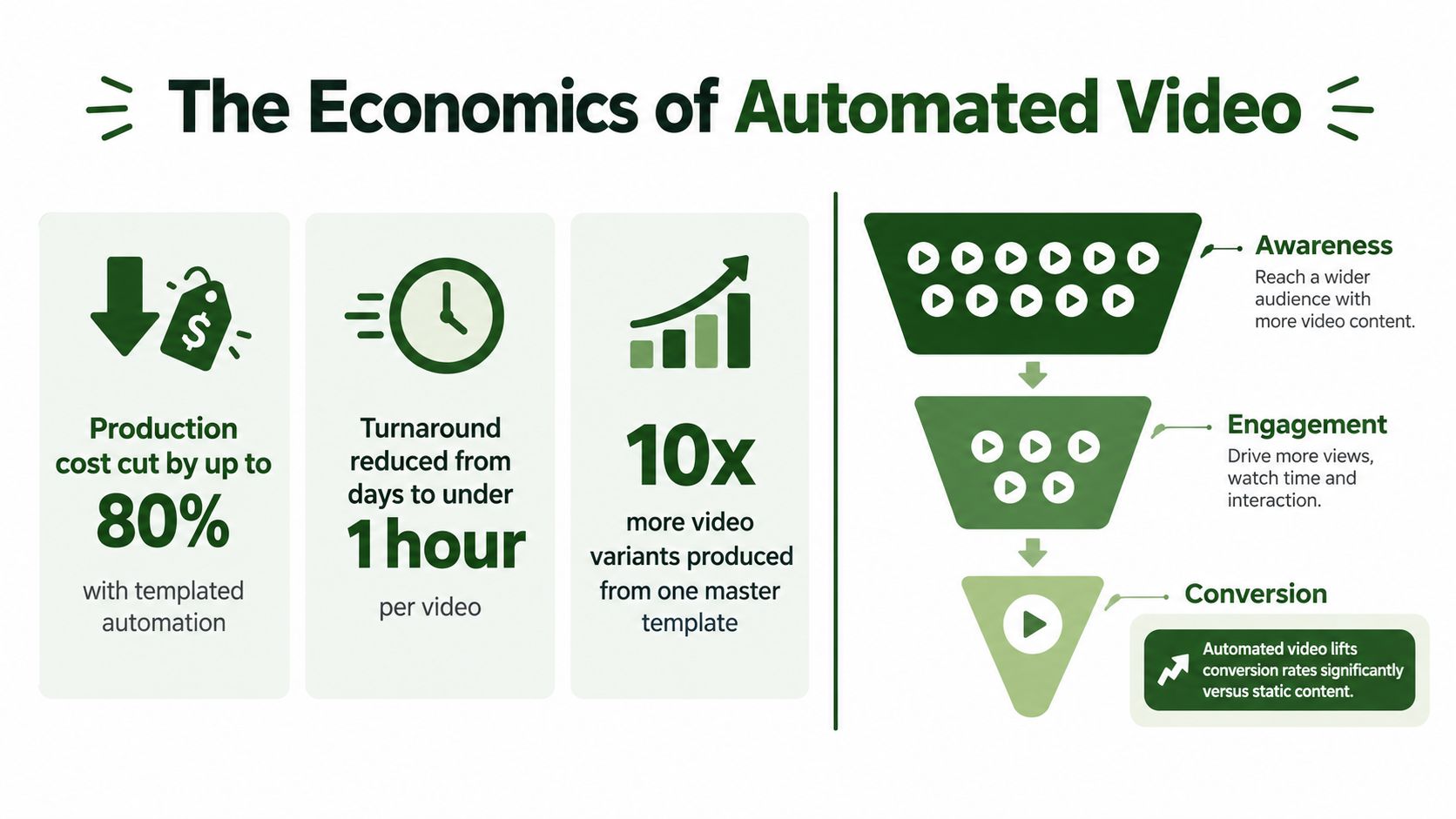
One 2026 industry report on video marketing economics reports that AI-powered editing, scripting, voiceover, and generation tools reduced median production cost from $4,200 to $2,500 per finished minute, a reduction of about 40%. That doesn't mean every team will achieve the same cost structure. It does show why a reusable pipeline can change the calculation from commissioning individual assets to producing and testing controlled variants.
Budget for throughput, not just production
The strongest argument for infrastructure isn't “AI is cheaper.” It's that a reliable system lowers the marginal effort required to adapt one approved idea. A master can be resized, captioned, branded, compressed, localized, and routed to different channels without rebuilding every deliverable manually.
The same report says short-form videos under 60 seconds generate 2.5 times more engagement per impression than other content types, and 57% of marketing budgets include a dedicated short-form line item. Those data points support an investment in templates and processing capacity, but they don't justify indiscriminate volume. More outputs create value only when teams can review them, distribute them correctly, and connect them to useful campaign decisions.
Track operational metrics alongside marketing metrics:
| Area | What to measure | Why it matters |
|---|---|---|
| Production | Time from approved brief to ready-for-review asset | Reveals the actual workflow bottleneck |
| Reliability | Failed jobs, retry outcomes, and dead letter volume | Shows whether scale creates operational risk |
| Cost control | Processing cost by template, channel, and variant | Prevents unprofitable automation |
| Funnel impact | Replies, clicks, meetings, attendance, and conversions by touchpoint | Connects video to business outcomes |
| Quality | Caption, audio, resolution, and brand-rule failures | Stops defective assets from reaching audiences |
Put video where attention drops
Vidyard's Video in Motion benchmark report reports up to 5 times more replies for cold outreach video, up to a 33% reduction in meeting no-shows for confirmation video, and a 3.4 times higher click-through rate for video email sequences than text-only sequences. Because these are benchmark figures, teams should validate them against their own audience and control groups rather than treating them as guaranteed outcomes.
The practical lesson is placement. Video may be more valuable in a confirmation reminder, a prospecting step, or a mid-funnel explanation than on a generic page where the viewer has little reason to act. Automate the touchpoint first, then expand the asset library when the workflow has demonstrated reliable measurement.
Designing Scalable Video Processing Architectures
A production-grade video pipeline resembles a distributed job system more than a desktop editing session. An event creates a job, the job references approved inputs, a processing service performs the work, and a callback records the result. Each transition needs an identifier, a status, and an observable outcome.
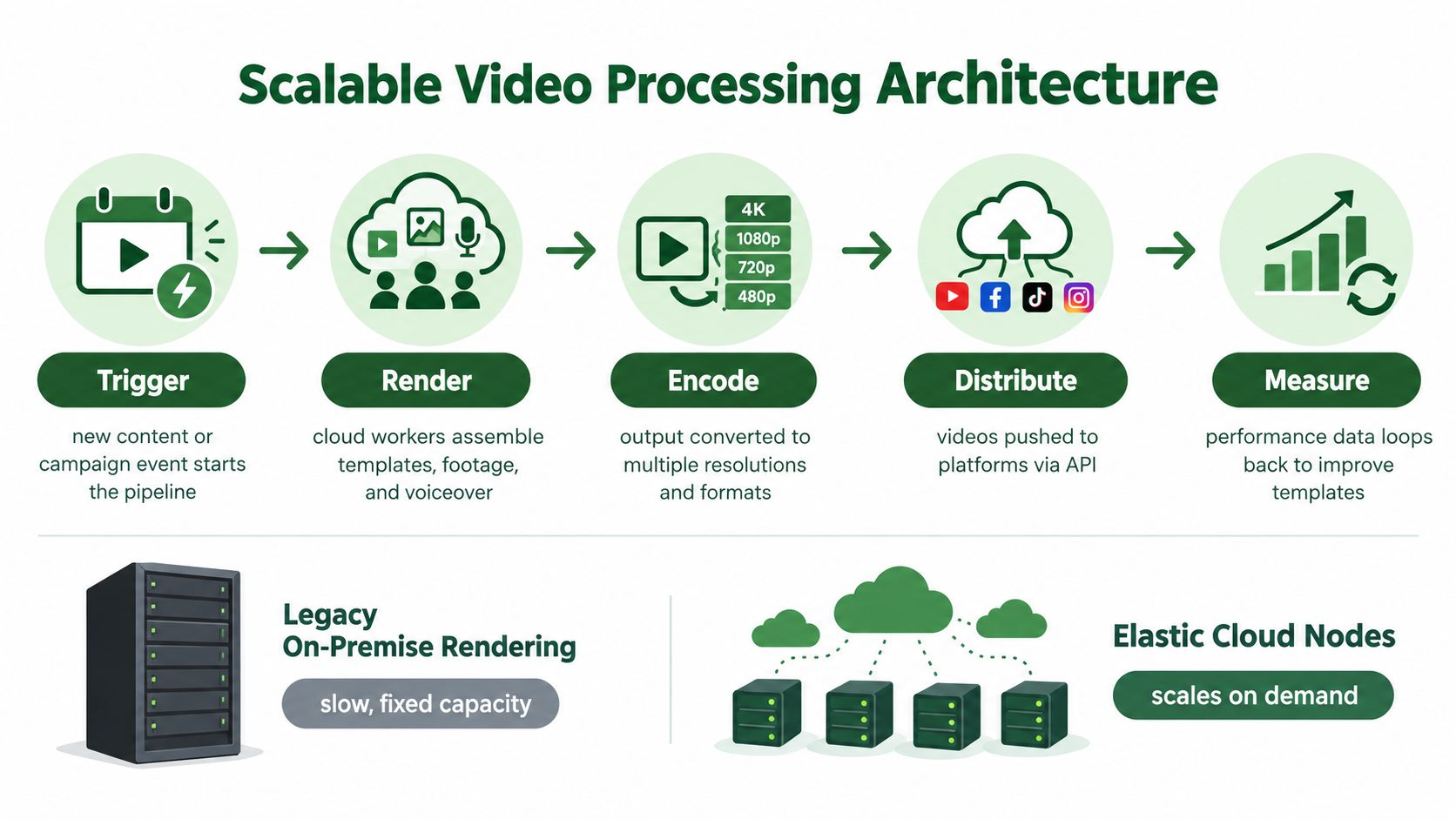
A typical flow looks like this:
- Trigger: A campaign event, approved content record, or new asset starts the job.
- Render: A worker assembles footage, templates, text, and audio.
- Encode: The system creates the required outputs for each destination.
- Distribute: Approved files move to a CMS, email platform, or social channel.
- Measure: Variant identifiers connect delivery and performance data to the source job.
The architectural choice is usually between managing infrastructure yourself and calling a specialized processing API. Self-hosted FFmpeg gives deep control, but your team owns worker capacity, queue management, storage, updates, and failure recovery. A cloud endpoint shifts those responsibilities away from the application, but you must design around its API contract, limits, authentication, and output lifecycle.
Isolate work and protect assets
Every job should run in an isolated environment with access only to the inputs it needs. Use signed URLs with automatic expiration rather than exposing permanent media locations. The URL should be valid long enough for processing and delivery, then become unusable.
Idempotent requests are equally important. Assign a stable key derived from the campaign, source asset, template version, and output specification. If the same request arrives again, the system can return the existing result instead of starting duplicate work.
A webhook provides faster status updates than repeatedly asking for progress, but webhooks can be delayed, duplicated, or lost. Keep polling available as a reconciliation mechanism. Store the last known state, validate callback signatures where supported, and move exhausted failures to a dead letter queue for investigation.
Failure handling is part of the feature. A pipeline that renders perfectly on a clean test input but loses jobs in production isn't reliable.
Heavy FFmpeg operations can also exceed the limits of ordinary application workers. Offloading rendering and encoding to specialized cloud workers avoids tying up request threads and reduces exposure to cold starts or request timeouts. For a practical overview of processing design choices, see this guide to video processing frameworks.
The cleanest systems separate orchestration from media work. Your application decides what should happen and records state. The processing service executes commands. The distribution layer publishes only outputs that passed approval and quality checks.
Implementation Patterns for Developers and No-Code Teams
Start with a job record before connecting any tools. Store the source URL, template version, requested transformations, campaign identifier, status, attempt count, and output references. That record becomes the shared language between a REST integration, a no-code scenario, and the people reviewing assets.
A developer pattern that fails visibly
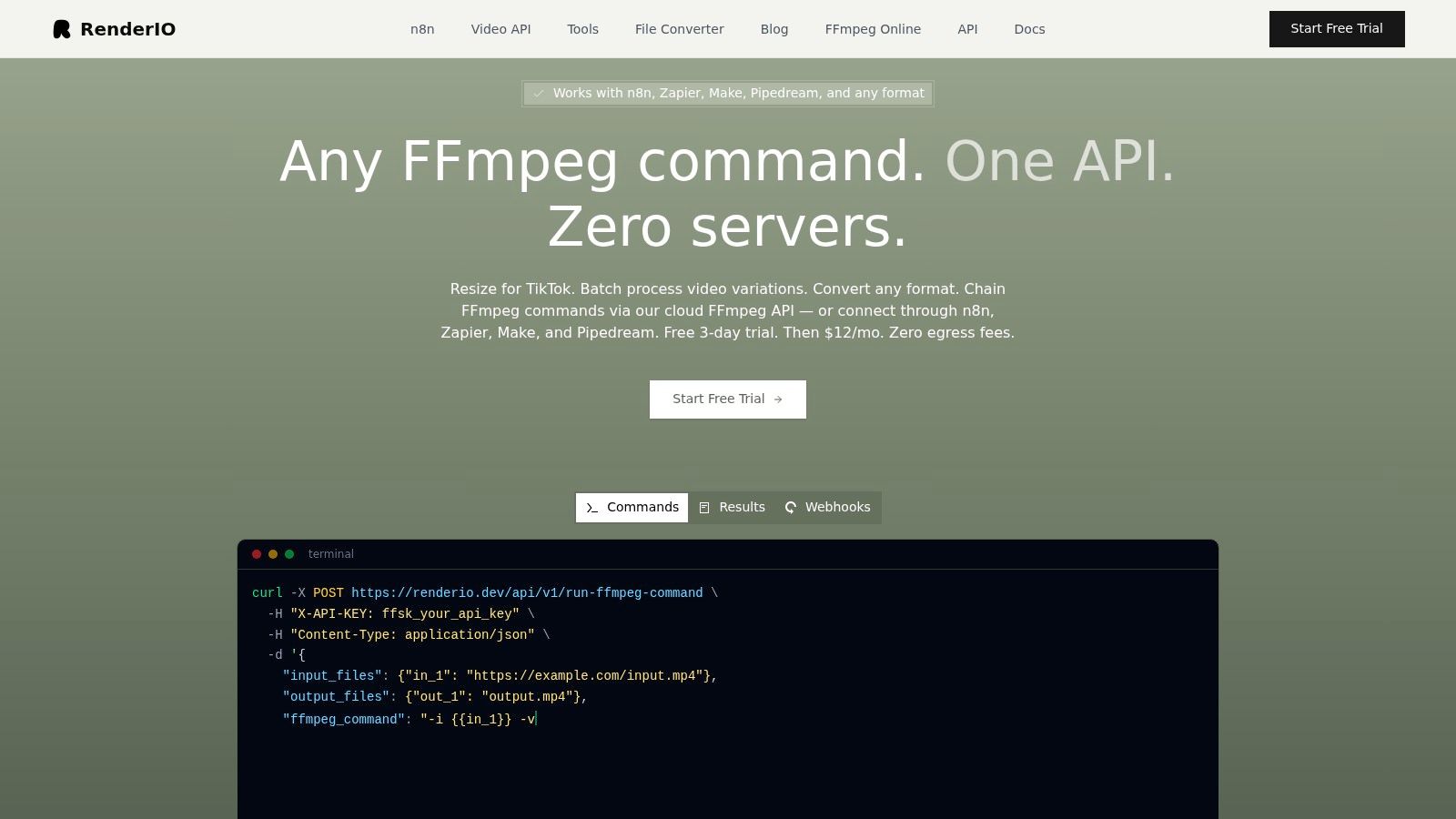
A cloud FFmpeg endpoint should accept a structured request containing the command and input references. The exact API shape varies, but the logic should remain consistent:
- Validate inputs before submission. Confirm that required assets exist, the template version is approved, and personalization fields contain allowed values.
- Create an idempotency key. Use a deterministic value for the intended output, not a random key generated on every retry.
- Submit the command. Request only the transformations needed for that output, such as resizing, watermarking, thumbnail creation, or audio extraction.
- Persist the job identifier. Don't rely on an in-memory request.
- Handle the callback. Mark success only after the output is available and passes validation.
- Capture complete stderr on failure. The command's diagnostic stream often reveals missing codecs, malformed filters, invalid paths, or incompatible inputs.
- Retry selectively. Retry transient infrastructure errors. Route deterministic command errors to a dead letter queue instead of repeating them.
For complex production, chain stages deliberately. Generate a master, then create channel variants in parallel. Keep the original output and each derivative associated with the same parent job so a failed TikTok export doesn't force a successful email version to run again.
No-code orchestration needs state too
Zapier, n8n, and Make can coordinate video workflows through webhooks and HTTP requests. A reliable scenario might look like this:
- Trigger: A row changes to
approvedin Airtable, a form submission arrives, or a campaign event fires. - Prepare: Fetch the media URL and map permitted fields such as headline, account name, or destination.
- Process: Send an HTTP request to the video service with the command and callback URL.
- Wait: Store the external job ID instead of keeping a workflow step open unnecessarily.
- Branch: Route success to packaging and distribution, and failure to an alert or retry path.
- Record: Write the final URL, status, and error detail back to the source system.
Use filters before the processing step. A missing logo, unsupported language, or empty personalization value should create a review task, not a render request. For teams building their first REST connection, this explanation of how to make an API request provides useful implementation context.
A no-code workflow should also include a human approval branch. Let reviewers see the rendered preview, metadata, and source variables together. Once approved, the same job can distribute the asset to the selected channels without allowing later steps to bypass the decision.
Real-World Use Cases for Short-Form and Personalized Video
A short-form workflow usually starts with one master file and several destination requirements. The system can produce vertical, square, and wide variants, add channel-specific captions, apply a watermark, generate a thumbnail, and compress each file for its destination. The creative team reviews the master and the template rules, while the pipeline handles repetitive packaging.
That model works well for Reels, Shorts, and TikTok-style campaigns because the transformations are predictable. It works less well when every channel needs a different story, opening, pacing, or call to action. Resizing a weak creative doesn't make it relevant.
A useful boundary: Automate transformations that preserve intent. Require human review when automation changes meaning.
Personalization needs a trust threshold
Localization adds another layer. A campaign may require different audio tracks, text overlays, product references, and compliance language by region. The pipeline should treat each locale as a declared output with its own approved copy, pronunciation guidance, subtitle file, and reviewer.
The temptation is to personalize every available field. That often produces awkward creative, especially when names, company references, or product claims don't fit naturally into the spoken script. Use personalization where it changes relevance, such as a clear account context or a specific product workflow. Keep the rest of the message stable enough to preserve recognition and trust.
Recent coverage of AI video marketing trends describes the move toward hyper-personalized, real-time media integration, while also presenting authenticity and human connection as important counterweights. That tension should shape the pipeline. Automation can create variations quickly, but a person should define the personalization rules and inspect representative outputs before release.
A practical campaign flow
Consider a global product launch. The team approves one master script and supplies regional product names, subtitles, voice tracks, and legal lines. The pipeline creates the channel formats, routes each locale to a regional reviewer, retries transient processing failures, and publishes only approved outputs. Measurement then compares performance by locale, hook, and channel rather than treating all generated videos as one asset.
For marketers evaluating the commercial side of short-form creative, this resource on paid social video conversions can complement the operational view. The important connection is between creative testing and production discipline. If the team can't identify which variant ran, it can't learn from the result.
Navigating Best Practices and Common Pipeline Pitfalls
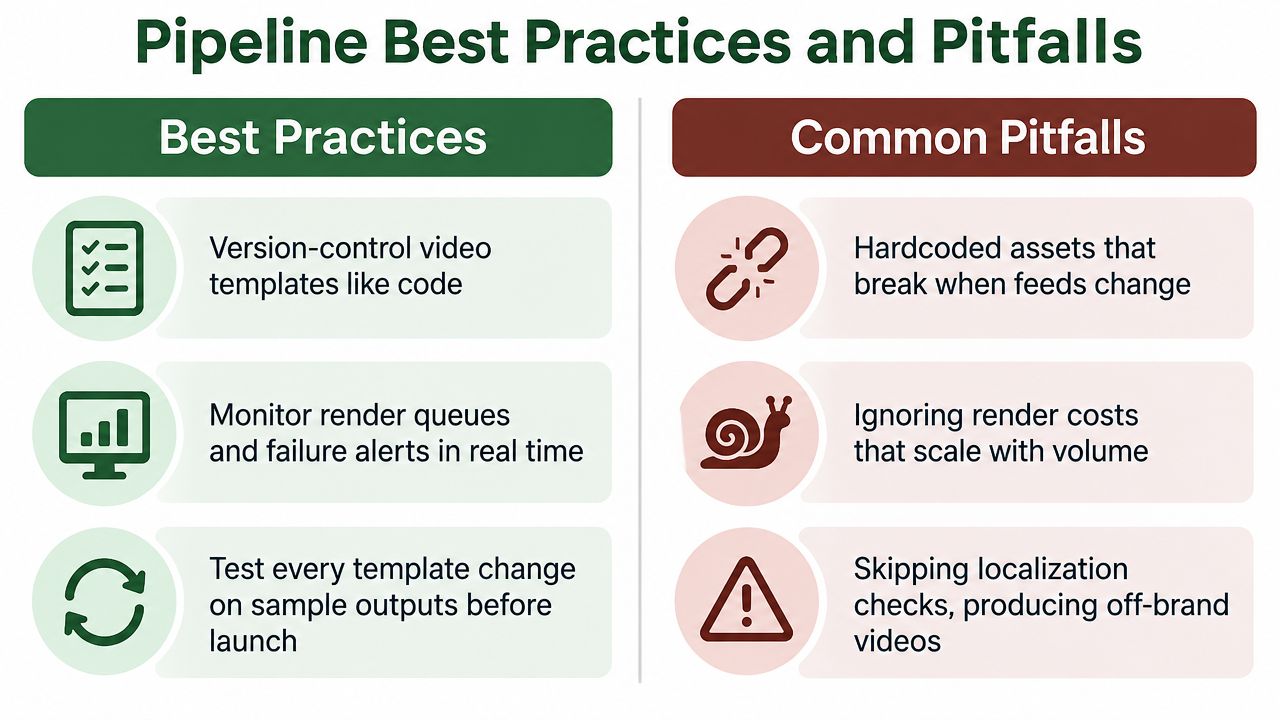
Video pipelines usually break at the boundaries between systems. A file may play in one editor but fail after concatenation because its codec, frame rate, pixel format, or audio characteristics differ from the next file. A storage link may expire before a delayed worker retrieves it. A webhook may arrive twice and create duplicate outputs.
Compare approaches before choosing one:
| Decision | More controlled option | More operationally efficient option |
|---|---|---|
| Processing | Run FFmpeg on managed workers | Use a specialized cloud FFmpeg endpoint |
| Status | Poll at a controlled interval | Receive webhooks and reconcile with polling |
| Storage | Keep permanent internal copies | Use expiring signed URLs for temporary assets |
| Failure recovery | Build a custom queue and worker system | Use provider retries and a dead letter queue |
| Publishing | Release manually after every export | Publish automatically after approval and QC |
The controlled option can make sense when unusual codecs, strict data residency, or custom media logic dominate. The efficient option suits teams that need repeatable transformations without operating rendering infrastructure. Neither choice removes the need for observability.
Prevent silent failure
Build checks around the points most likely to cause trouble:
- Normalize inputs: Re-encode or standardize media before concatenation when source characteristics differ.
- Read full diagnostics: Store complete FFmpeg stderr, not only a generic “processing failed” message.
- Track every state: Keep job IDs, attempt counts, timestamps, and output references in a durable record.
- Control retention: Expire temporary media and remove abandoned intermediates so storage doesn't grow unnoticed.
- Make retries safe: Use idempotent requests and distinguish transient failures from invalid commands.
- Test feed changes: Sample outputs whenever a product feed, template, font, or brand asset changes.
A queue dashboard should show pending, active, completed, retried, and dead-lettered jobs. Alerts should identify patterns, not just individual errors. A sudden rise in failures for one template may indicate a broken asset, while failures across every template may indicate a service or authentication problem.
Measurable Testing and Quality Control Strategies
Quality control belongs after processing, not only before upload. The pipeline should inspect each output for the properties that affect delivery and brand safety, then block publication when a required check fails.
The KVQ short-video quality benchmark includes 600 user-uploaded short videos and 3,600 processed variants created through workflows such as preprocessing, transcoding, and enhancement. Its proposed quality model outperformed the prior best retrained baseline by 0.032 PLCC and 0.034 SROCC, which supports a practical conclusion: post-processing quality can be evaluated systematically, and small pipeline changes can produce measurable differences.
Turn QC into executable checks
Validate each output for:
- Media properties: Resolution, duration, frame rate, bitrate, codec, container, and file integrity.
- Audio alignment: Presence of an audio stream, expected loudness range, and synchronization with video.
- Text rendering: Captions, legal copy, language, spelling, safe margins, and clipping.
- Brand rules: Correct logo, colors, fonts, voice, disclaimer, and campaign version.
- Distribution readiness: File size, naming convention, metadata, and destination-specific requirements.
Use automated checks for deterministic rules and human review for meaning, tone, and authenticity. Keep a sample set of approved outputs and compare new template versions against it before production release. For teams formalizing these checks, this guide to video testing automation offers a useful starting point.
A mature pipeline measures failure rates by stage, not just overall completion. That makes quality a feedback loop: identify the failing transformation, correct the template or command, rerun only affected jobs, and preserve the successful outputs.
RenderIO provides a cloud FFmpeg and yt-dlp API for teams that need programmatic rendering, transcoding, resizing, watermarking, audio extraction, and batch conversion without managing their own video workers. If your workflow needs signed outputs, webhook tracking, retries, dead letter handling, and idempotent requests, visit RenderIO to evaluate how it fits your video marketing automation pipeline.