The most repeated advice about lossless video is that you should reach for it whenever quality matters. That sounds prudent, and in practice it produces oversized buckets, slow job queues, and masters that no browser will ever open. Two errors hide inside the advice. The first is treating lossless as a single category, when a preservation codec that returns exact pixels and an editing codec that merely looks perfect are different tools with different jobs. The second is pretending quality is the only axis, when storage, decode support, and rerun cost decide whether a pipeline survives contact with production.
Lossless video compression formats are not interchangeable, and the interesting question is positional rather than absolute. What belongs at capture is not what belongs at delivery. Get that mapping wrong in either direction and you either throw away pixels you'll want later or pay to preserve pixels nobody will ever look at twice.
Table of Contents
- Why Lossless Video Compression Matters
- Lossless Video Compression Formats at a Glance
- What Lossless Actually Means for Your Pixels
- How Lossless Codecs Squeeze Video Without Losing a Bit
- The BFI Playbook for Preserving Every Pixel
- The Real Cost of Going Lossless
- Test Lossless Encodes With FFmpeg and Frame Hashes
- Matching the Format to Each Pipeline Stage
Why Lossless Video Compression Matters
A lossless codec reconstructs exactly the pixels it was handed, bit for bit, so a decode returns the same values the encoder received. A lossy codec discards detail the encoder predicts viewers won't miss, and every subsequent generation starts from a slightly poorer source. That distinction is simple. Deciding what to do about it is not.
Three groups keep asking the same question with different stakes. Developers automating FFmpeg pipelines need formats that decode deterministically and fail loudly. Archivists preserving masters need reversibility they can prove years from now, on hardware that doesn't exist yet. Editors choosing intermediates need speed and headroom for repeated compositing, and they'll accept a small invisible loss to get it. A format that serves one of those groups badly can wreck the other two.
The material below is ordered by how you'd use it. First a comparison table of the main lossless video compression formats, with FFV1, Motion JPEG 2000, lossless H.264/AVC, lossless HEVC, and ProRes as the visually lossless contrast. Then a plain account of what pixel-exact compression does and doesn't guarantee, the mechanics that set the compression ceiling, the measured payoff from a national archive that switched, the cost side nobody quantifies, and a frame-hash test you can run before committing a pipeline.
The question this answers: not which format is best, but which format belongs at which stage, and where losslessness should stop.
Lossless Video Compression Formats at a Glance
| Format or codec | Losslessness | Typical compression | Common containers | Best for |
|---|---|---|---|---|
| Uncompressed V210 | None, the baseline | 1:1 | MOV | Digitization capture and measurement reference |
| FFV1 | Mathematically lossless | About 2:1, roughly half of uncompressed | Matroska (MKV), AVI | Archival masters and preservation |
| Motion JPEG 2000 | Mathematically lossless, reversible wavelet | 2:1 to 4:1 typical | MJ2, MXF | Digital cinema, frame-accurate archival access |
| H.264/AVC lossless | Mathematically lossless, dedicated lossless modes | About 3:1, content-dependent | MP4, MKV, MOV | Screen recording, sensor data, random access |
| HEVC/H.265 lossless | Mathematically lossless, dedicated lossless modes | About 3.5:1, content-dependent | MP4, MKV, MOV | Storage-constrained archives with decoder support |
| ProRes 422/4444 | Visually lossless, not pixel-exact | Roughly 3:1 to 4:1 at editing quality, profile-dependent | MOV | Editing intermediates and alpha compositing |
Ratios move with content, so read the compression column as a starting point. Footage with grain, noise, or high bit depth compresses far less than clean graphics, and two encoders run on the same file can land percentages apart. Any single number you see quoted for a codec is a report from one corpus, not a property of the format.
Motion JPEG 2000 is the interesting historical case. JPEG 2000 supports lossless operation through a reversible integer wavelet transform that reconstructs the original image data exactly, and Part 1 is standardized as ISO/IEC 15444-1, with the Library of Congress classifying its lossless form for continuous-tone archival imagery. Its motion extension compresses each frame independently, which buys frame-accurate access and simpler editing at the cost of larger files than interframe codecs. The 2019 High Throughput extension, HTJ2K, was reported by SMPTE to deliver up to 30 times greater throughput for lossless coding, which is what makes wavelet coding viable at professional volumes.
ProRes sits in the table as contrast, not as a peer. Read the rows by goal: preserve means FFV1 or Motion JPEG 2000, edit means ProRes, measure means something you can verify bit-exact, deliver means none of these. If you need to know which of these your target platforms and FFmpeg builds handle, the video codec support reference saves a round of failed jobs.
What Lossless Actually Means for Your Pixels
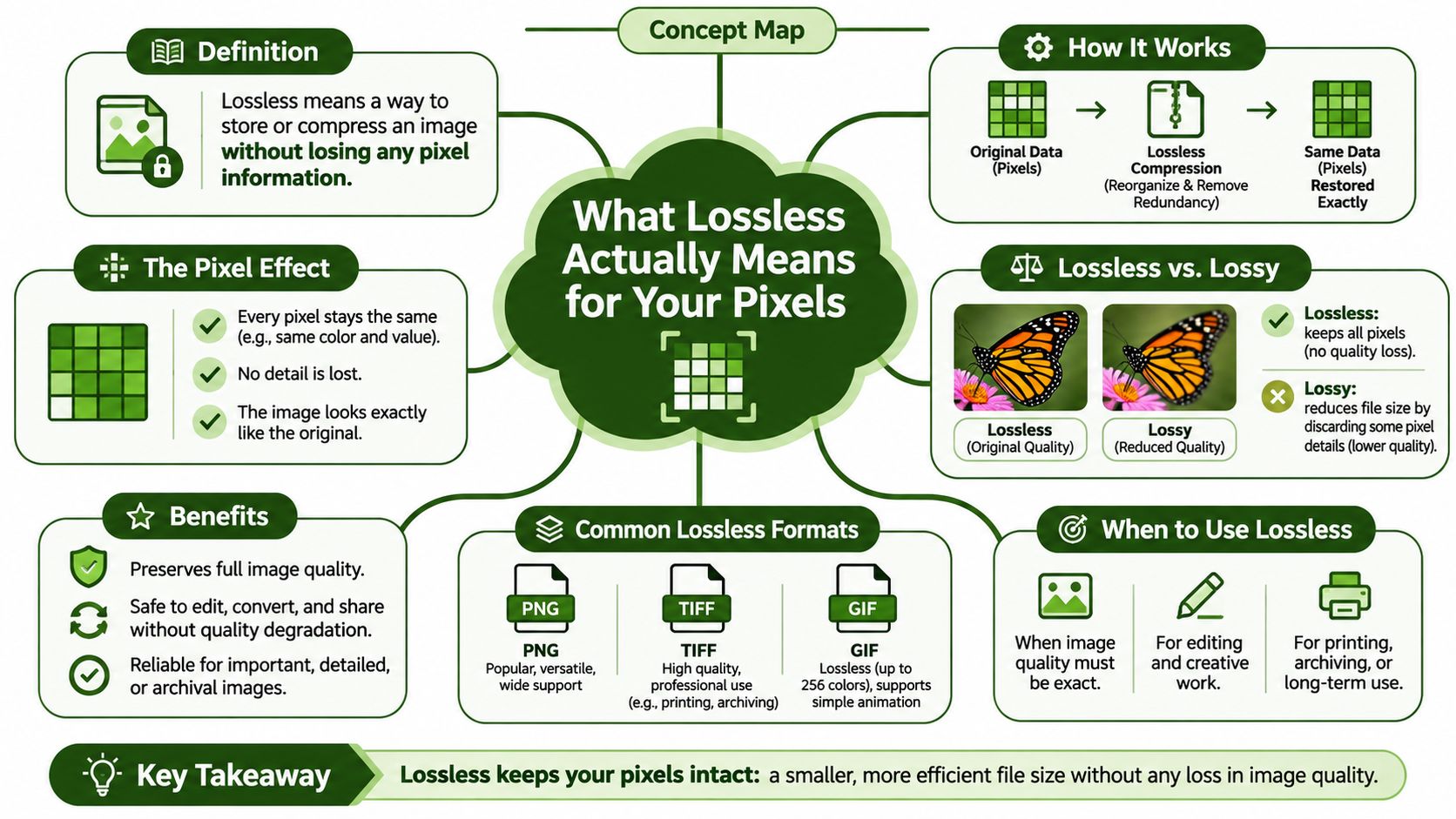
A visually clean master is not necessarily an exact master. Mathematically lossless codecs reconstruct the pixel values supplied to the encoder; visually lossless codecs preserve an appearance that is difficult to distinguish during normal viewing, while allowing those values to change. Both have a place, but only the first supports bit-exact verification.
The distinction is about what the codec promises, not how clean the image looks. Mathematically lossless means decoded pixels retain every bit of information presented to the encoder. Repeated encoding and decoding with a lossless workflow introduces no generational degradation. Visually lossless means the result appears unchanged under ordinary viewing conditions, but it does not promise bit-exact reconstruction.
ProRes 422 and 4444 are often grouped with lossless formats because they can look clean on a monitor. They are visually lossless editing codecs, not mathematically lossless ones. FFV1 is designed for preservation; ProRes prioritizes editing performance. The comparison of lossless and visually lossless codecs explains the distinction. Treating both as interchangeable can leave a supposed master that fails a bit-exact comparison.
Why the distinction changes what you can build
Archival masters and measurement references need reversible data. A frame hash can verify that decoded frames match, but a hash of a visually lossless file only identifies that approximation. It does not prove the pixels match the source.
- Archival masters must be reversible. Later migration, restoration, or legal review may depend on the original pixel values, not a similar-looking rendition.
- Measurement pipelines need exactness. Sensor arrays, thermal capture, and depth maps encode data as well as pictures. Analysis depends on retaining the captured values.
- Compositing can tolerate approximation. When an intermediate is discarded after editing, a visually transparent codec can be a practical trade-off for editing performance.
- Verification needs hashes. A filename that says “lossless” is not evidence. Compare frame hashes when exact reconstruction matters.
Use a mathematically lossless format when the output must preserve or prove the source values. Use a visually lossless editing codec when workflow performance matters more and the intermediate does not need to serve as an exact reference.
Call a format lossless only when you can verify it bit-exact, and prove it with frame hashes.
How Lossless Codecs Squeeze Video Without Losing a Bit
Lossless compression has a structural ceiling: it can remove redundancy, but it cannot discard image information. Four mechanisms explain how codecs reduce file size and why results vary by source.
1. Prediction. Intra-frame codecs predict each block from nearby pixels in the same frame. Inter-frame codecs also use motion-compensated prediction from earlier frames, estimating how blocks have moved. Better predictions leave smaller errors to encode.
2. Residual coding. The encoder records those prediction errors, or residuals, then compresses them with entropy coding, a method also used in ZIP archives. Predictable frames produce small residuals. Noise and complex detail produce larger ones, leaving less redundancy for the coder to remove.
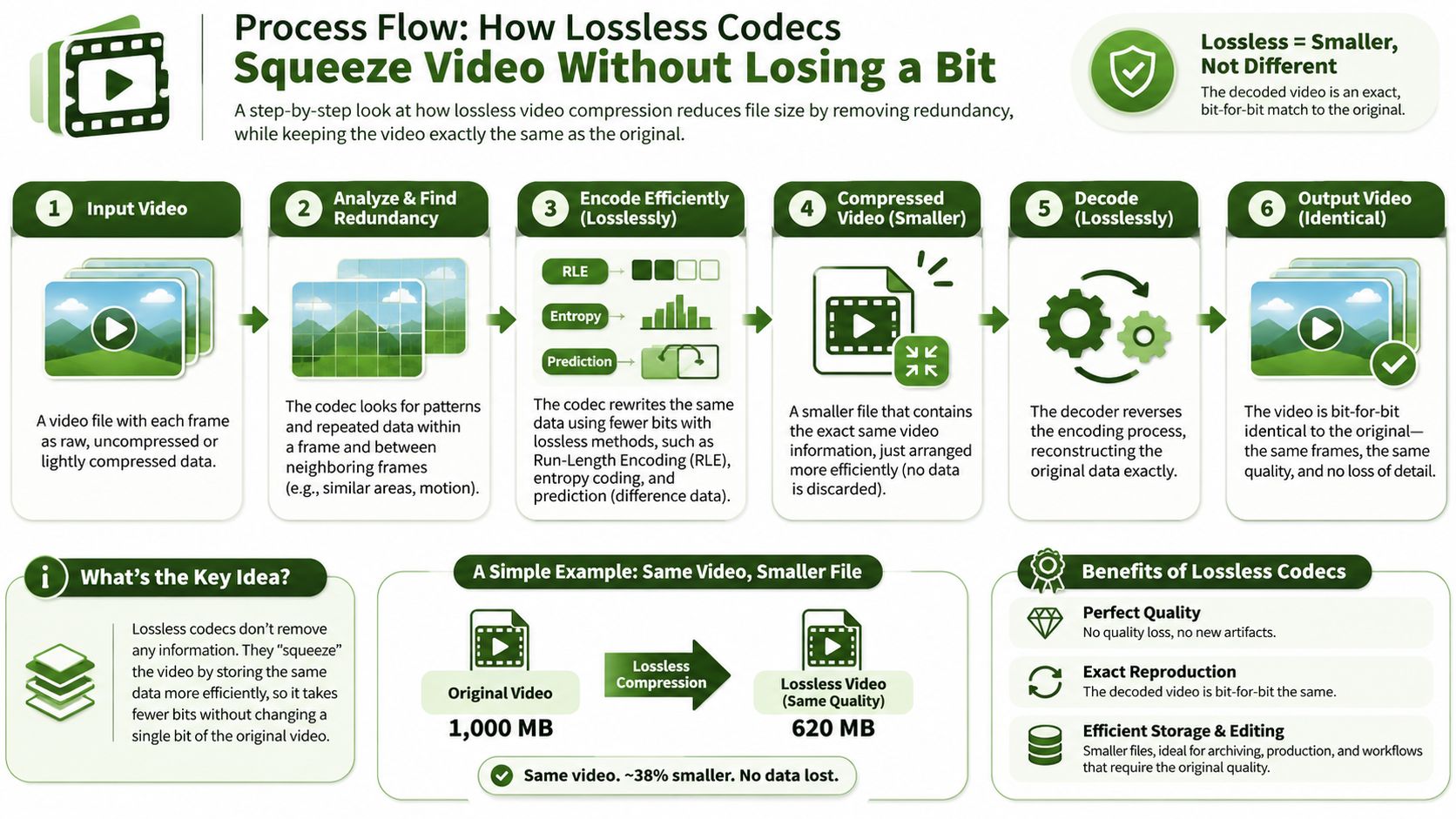
3. The ceiling. Entropy coding removes statistical redundancy, not visual detail. Lossless ratios therefore tend to stay in the low single digits, while lossy codecs can reach ten times and beyond by discarding information. No lossless encoder setting can close that gap without changing the decoded pixels.
4. Content dependence. A benchmark on large-field-of-view infrared video measured about 3.02:1 for lossless H.264 inter-frame coding against 3.01:1 intra-frame, and 3.54:1 for HEVC inter-frame against 3.45:1 intra-frame. On that high-bit-depth sensor material, temporal prediction contributed little because adjacent frames had limited redundancy. HEVC's stronger entropy coding still achieved roughly 15 to 18 percent more compression than H.264.
Use benchmarks as clues, not promises. Test representative footage from your own corpus because noise, motion, and detail change the result. Choose lossless intra-frame encoding when parallel frame processing, seeking, and predictable recovery matter. Consider lossless HEVC when storage savings take priority and your decoding support, CPU budget, and licensing position can accommodate it.
The BFI Playbook for Preserving Every Pixel
The British Film Institute's National Archive used a workflow familiar to anyone digitizing videotape. Suppliers delivered uncompressed QuickTime V210 MOV files, large files with no compression. The archive transcoded them to FFV1 in Matroska using FFmpeg. The BFI's account of its open-source preservation work describes the preservation workflow, not a fixed compression ratio. FFV1 reduces file size while keeping the video mathematically lossless.
That distinction matters at archive scale. The archive can retain a lossless master while using less storage and requiring less data to transfer than with uncompressed files. The decoded pixels remain unchanged, so the master can serve as the source for later derivatives.
Why FFV1 won for preservation
The archive's choice rests on three properties:
- Reversible compression. Decoded output matches the encoder's input exactly, so migrating the master does not introduce generational loss.
- Error detection in the bitstream. FFV1 carries CRC information associated with slices. A decoder can flag a corrupt region rather than treating damaged data as intact.
- An open implementation and an open specification. FFmpeg supports FFV1 for automated workflows. The format is also standardized through the IETF Cellar working group and published as RFC 9043, so its definition is public rather than tied to one company's roadmap.
The container matters too. Matroska can carry associated sidecar files, allowing preservation metadata and documentation to accompany the video essence instead of being kept separately. The Library of Congress format description for FFV1 identifies FFV1 in Matroska as a preferred preservation pairing and describes its support for metadata and fixity-oriented workflows.
For an archival pipeline, keep the stages explicit: accept or capture the uncompressed source, create an FFV1-in-Matroska preservation master, validate it with frame hashes, and generate other outputs from that master. FFV1 is the mathematically lossless preservation choice; visually lossless editing codecs such as ProRes serve a different stage, where editing compatibility may matter more than bit-for-bit reconstruction.
The Real Cost of Going Lossless
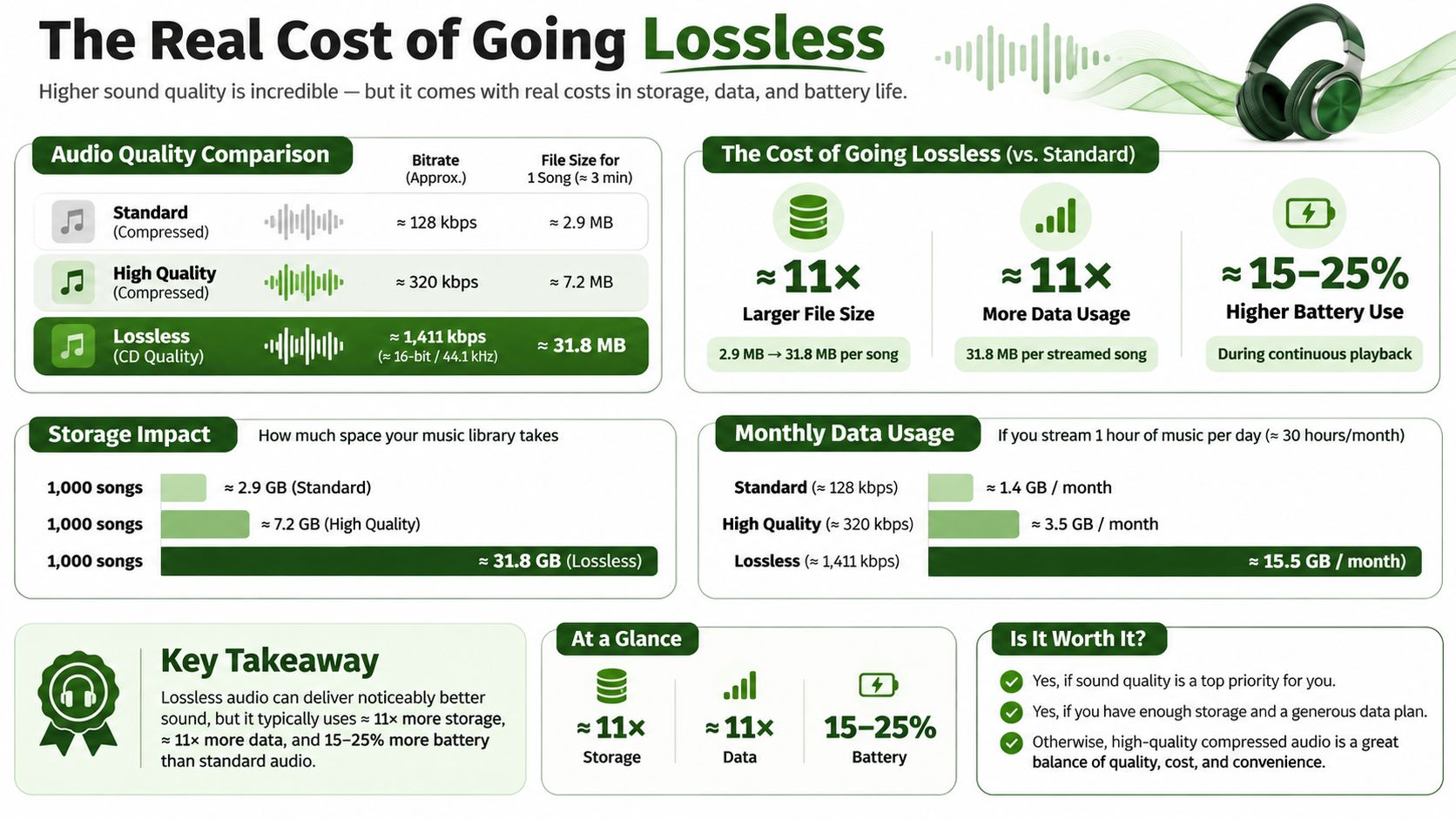
Lossless video has four costs: storage, compute, pipeline failures, and compatibility. Exact pixels are valuable, but preserving them through every stage can consume resources without improving the version a viewer watches.
Size. Typical lossless compression lands between 2:1 and 4:1, according to the economics of lossless encoding. Lossy codecs can reduce files much further. For a 2 GB uncompressed source reel, that typical lossless range means a master of roughly 500 MB to 1 GB. A delivery encode can be a small fraction of that size.
Compute. Encoding losslessly takes processor time, adding latency to each job and reducing the number of jobs a worker pool can finish. Storage captures only part of the cost. In an automated pipeline, encoding time also affects throughput.
Failure economics. Large files take longer to upload and resend when a stage fails. Retries add queue pressure, and rerunning work consumes compute again. Deterministic, idempotent outputs and selective re-encoding can limit wasted effort, but they do not remove the cost of moving large objects.
Compatibility. FFV1 in Matroska and lossless HEVC have limited support in browsers, phones, and consumer televisions. Treat these as archive or machine-to-machine formats, not general audience deliverables. A retained lossless master usually needs a separate derivative in a format viewers can play.
Quality. Once an encode is visually lossless, viewers cannot distinguish it from a pixel-exact version in ordinary playback. For social exports, spending additional bits to preserve every pixel does not improve what a viewer sees on a phone or other display.
The verdict for a budget meeting: Making every resize, watermark, thumbnail, and platform export lossless multiplies storage and compute. For AI-generated and short-form pipelines, that extra cost often delivers no visible improvement in the final file.
Losslessness earns its cost when the file may be re-edited or graded, when forensic verification requires matching hashes, when scientific work treats pixel values as measurements, or when repeated compositing would otherwise accumulate generational loss. For other stages, keep a high-quality master and create separate delivery encodes. Choose where exactness matters, rather than carrying it through every step by default.
Test Lossless Encodes With FFmpeg and Frame Hashes
Before a pipeline trusts a codec, prove the round trip on your own footage. This takes about ten minutes and settles arguments that otherwise run for weeks.
- Cut a sample that represents your worst case. Pick the grainiest, noisiest, most detailed 30 seconds you have, not the cleanest:
ffmpeg -i source.mov -t 30 -c:v v210 sample.mov. Keeping the intermediate uncompressed preserves the original pixel format, so later differences come from the codec under test. - Encode FFV1.
ffmpeg -i sample.mov -c:v ffv1 -level 3 sample_ffv1.mkvgives you a preservation candidate in Matroska with the version 3 feature set. - Encode lossless HEVC.
ffmpeg -i sample.mov -c:v libx265 -x265-params lossless=1 sample_hevc.mkvgives you the storage-optimized contender. Plain-crf 0isn't enough; the lossless parameter is what disables residual transformation loss. - Measure size and encode time for both. Wrap each run in the shell
timecommand and record the wall clock beside the output size. Decode speed matters as much as encode speed, so time a decode pass to/dev/nulltoo. - Write frame hashes for the source and each output.
ffmpeg -i FILE -f framemd5 FILE.framemd5, forcing the same-pix_fmton every invocation. - Diff the hash lists. Identical hashes on every frame mean the encode is bit-exact. A single mismatch means something in the chain, often a color conversion, is altering values.
- Lock the winner and record the command. Choose the format that passes the hash test and fits your size and decode-time budget, then store the exact command beside the master so it can be regenerated.
The trap in step five is -pix_fmt. If the source decodes as 10-bit 4:2:2 and the comparison decodes as 8-bit 4:2:0, the hashes diverge for reasons that have nothing to do with the codec. Force the format explicitly on both sides. If you want to wire this kind of check into CI rather than running it by hand, the guide to video testing automation covers the orchestration side.
Matching the Format to Each Pipeline Stage
| Pipeline stage | Goal | Recommended format | Why |
|---|---|---|---|
| Archival master | Exact pixels forever | FFV1 in Matroska | Reversible, open standard, CRC error detection |
| Measurement or analysis | Provable pixels | FFV1 or lossless H.264 plus frame hashes | Deterministic decoding and verifiable output |
| Editing intermediate | Fast scrubbing and compositing | ProRes 422, or 4444 with alpha | Visually lossless quality with editing performance |
| Delivery derivative | Small audience-facing files | Lossy H.264, HEVC, or AV1 | Viewers cannot benefit from lossless sizes |
| Social variants at scale | Many outputs per source | Lossy exports from one quality master | Avoids multiplying lossless storage and compute |
The verdict fits in three lines. FFV1 in Matroska for archival masters. ProRes 422 or 4444 for editing intermediates. Lossy H.264, HEVC, or AV1 for delivery. Everything else is a preference dressed up as a requirement.
One edge case deserves a mention. When a pipeline re-edits or composites across several passes, a visually lossless intermediate protects quality without the storage cost of FFV1, and the accumulated error stays below what anyone can see. Keep exactly one lossless master per source, derive every other output from it, and store encoder settings beside the master so any derivative can be rebuilt on demand.
Where losslessness pays, and where it doesn't
Losslessness pays for future re-editing, forensic verification, scientific measurement, and repeated compositing. It does not pay for thumbnails, platform crops, or the fourth variant of a vertical cut.
Running these encodes and checks at scale usually means managing machines, queues, and storage yourself. RenderIO executes FFmpeg 7.x commands through an API instead, with H.264, H.265, VP9, AV1, and the common audio codecs available in the standard build, and every result comes back with duration, codec, resolution, and file size metadata so a hash-and-size check has something to read. If you're planning the transcode layer itself, the FFmpeg transcoding workflow guide covers the command patterns.
Spend lossless storage where pixels must be provable or reusable. Let lossy derivatives serve every audience.
If your pipeline needs to produce one verifiable master and a spread of delivery encodes from it, RenderIO runs those FFmpeg commands over a REST API without servers or queue management, and downloads carry zero egress fees no matter how often you pull the results. You can chain the FFV1 master encode, the frame-hash check, and the lossy social exports as separate stages and get duration, codec, resolution, and file size back from each. Start with the free trial at RenderIO and run the frame-hash test on your own footage before you commit a format.