You export a clean master for YouTube, then open it on a phone and discover the problem. The speaker is cut off, the captions sit under interface controls, and the product demonstration has lost the very detail that made the clip useful. The file is technically valid, but the creative has failed.
That's the practical issue with 16:9 aspect ratios. The ratio is more than an export preset. It's the composition you build upstream, the canvas your editors protect, and the source from which every downstream version must be derived. A reliable pipeline distinguishes between a simple container change, a genuine resize, and a reframing decision that requires new editorial logic.
Table of Contents
- Understanding What 16 - 9 Means for Your Video Pipeline
- Common Resolutions and Pixel Dimensions for 16 - 9
- How to Calculate Equivalent 16 - 9 Video Sizes
- Cropping and Letterboxing Strategies in Video Workflows
- Where 16 - 9 is the Dominant Standard Format
- Scaling and Optimizing 16 - 9 Content for Automation
Understanding What 16 - 9 Means for Your Video Pipeline
A 16:9 frame is sixteen units wide for every nine units high. You can treat it like a physical canvas: the ratio determines the canvas shape, while the pixel dimensions determine how finely that canvas is represented. A file can be large, small, compressed, or uncompressed and still belong to the same aspect-ratio family if its width-to-height relationship remains consistent.
The calculation is straightforward:
width ÷ height = 16 ÷ 9 ≈ 1.78
That relationship matters more than either dimension by itself. A frame with a wide pixel count can still be wrong for 16:9 if its height doesn't scale proportionally. Stretching such a frame to force a target size changes faces, circles, logos, and motion graphics. The result may play without errors, but it won't preserve the intended image.
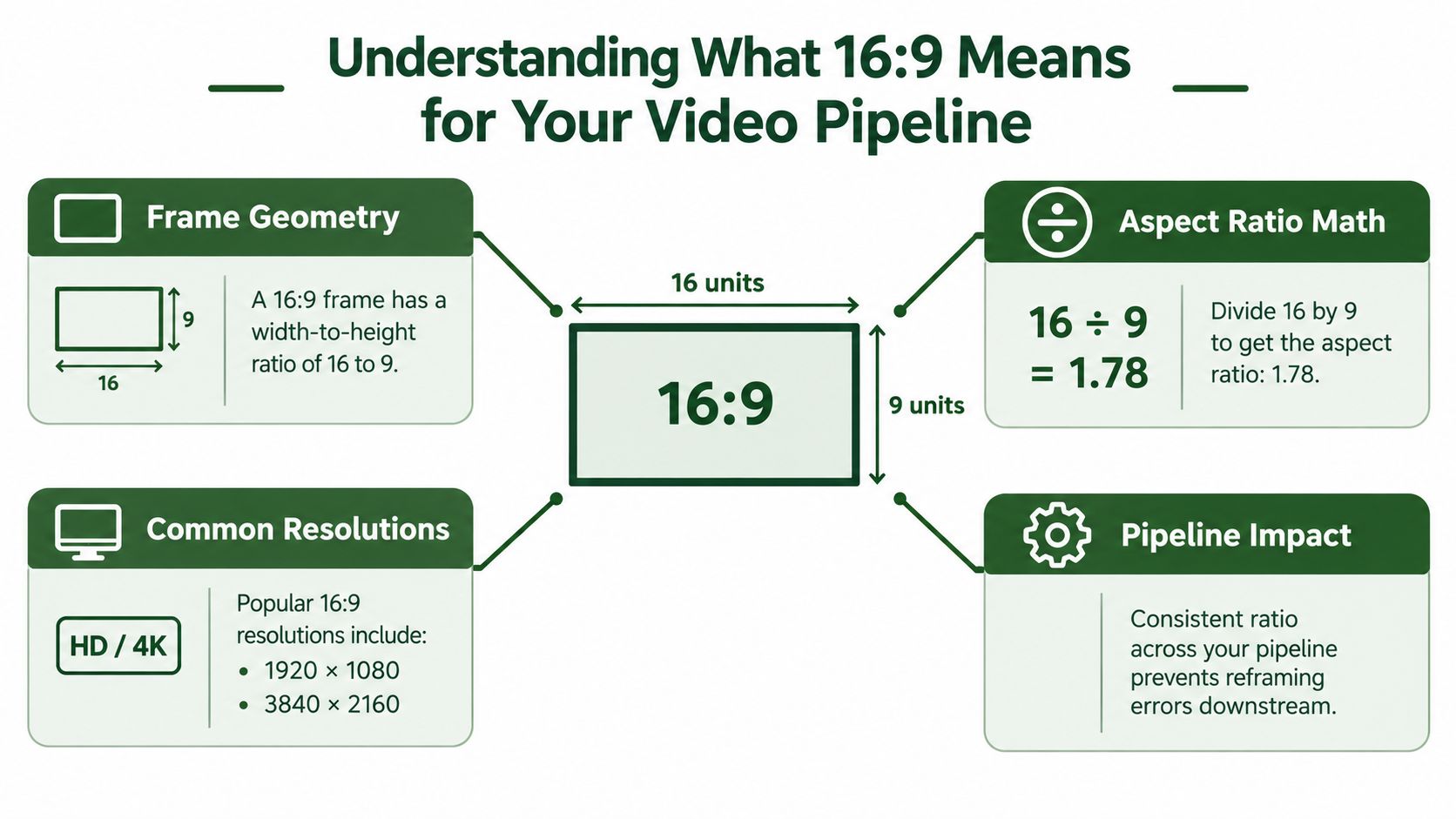
Treat the frame as a canvas
For an automation engineer, the canvas model is more useful than memorizing a list of presets. Every operation should answer three questions:
- What is the source canvas? Read the stored width and height, then calculate their relationship rather than trusting a filename or upload label.
- What is the target canvas? Define the delivery dimensions and whether the output must fill them, fit within them, or preserve the active picture with padding.
- What must remain visible? Identify faces, captions, logos, products, screens, and other regions that cannot be sacrificed during a crop.
A video can also carry display metadata that affects how players interpret stored pixels. That means a pipeline should inspect the effective display geometry, not only the raw raster dimensions. A careless resize can turn a metadata issue into a visibly distorted export.
The ratio became influential because it balanced older television compositions with wider cinema formats. In 1984, Kerns H. Powers of the Society of Motion Picture and Television Engineers proposed a 1.77:1 image shape for emerging high-definition television, later rounded to 16:9, or approximately 1.78:1. The proposal sought a “shoot-and-protect” frame that could accommodate common compositions without excessive cropping or unused screen area, as documented in the history of the 16:9 aspect ratio.
Practical rule: Validate the ratio before you scale. Scaling preserves a composition only when the destination canvas has been chosen deliberately.
For implementation patterns and additional terminology, the video aspect ratio guide is a useful companion. The important operational distinction is simple: a ratio check protects geometry, while a crop policy protects meaning.
Common Resolutions and Pixel Dimensions for 16 - 9
Once the geometry is correct, pixel dimensions determine how much image information the pipeline has to process. Common 16:9 canvases include 1280×720, 1920×1080, and 3840×2160. Each preserves the same shape, but they don't impose the same demands on decoding, filtering, encoding, storage, or delivery.
The pixel-area comparison is useful:
| Canvas | Pixel-area calculation | Practical implication |
|---|---|---|
| 1280×720 | 921,600 pixels per frame | Suitable when a smaller delivery frame is sufficient |
| 1920×1080 | 2,073,600 pixels per frame | A common high-definition production and delivery canvas |
| 3840×2160 | 8,294,400 pixels per frame | Carries substantially more image detail and processing load |
These figures are direct multiplication of the listed dimensions, not claims about bitrate or file size. Actual storage depends on codec, frame content, quantization, audio, container settings, and encoding choices. A static interview and a fast screen recording can produce very different files at the same resolution.
Resolution changes are not ratio changes
Reducing 3840×2160 to 1920×1080 is a proportional downscale when the source is already 16:9. The framing stays intact, but the encoder processes fewer pixels per frame. Upscaling works geometrically, too, although it can't recreate detail that wasn't captured in the source.
A common mistake is selecting an output width and height independently. If the source width changes while the height stays fixed, the result may be squeezed or stretched. Use one dimension as the anchor, derive the other from the ratio, and round only when the codec or pixel format requires compatible dimensions.
Choose dimensions by the job
Use a larger canvas when later crops, text overlays, or detailed product views depend on available source detail. Use a smaller one when the delivery target doesn't justify the processing burden and the source composition won't be reused at a larger size.
That decision should happen before batch encoding. A pipeline that creates oversized intermediates for every destination wastes compute and storage, while a pipeline that downsizes too early removes options for later derivatives. For vertical derivatives, platform-specific guidance such as the Scheduler.social guide to YouTube Shorts can help frame the delivery decision, but it shouldn't replace a source-level composition review.
How to Calculate Equivalent 16 - 9 Video Sizes
The simplest way to generate a 16:9 canvas is to preserve one dimension and calculate the other.
If the width is known:
height = width × 9 ÷ 16
If the height is known:
width = height × 16 ÷ 9
For example, a width of 1920 maps to a height of 1080 under the 16:9 relationship. A height of 720 maps to a width of 1280. These are equivalent canvases, not separate formats.
Compare the calculation paths
| Known dimension | Formula | Resulting 16:9 canvas |
|---|---|---|
| Width 1920 | 1920 × 9 ÷ 16 | 1920×1080 |
| Height 1080 | 1080 × 16 ÷ 9 | 1920×1080 |
| Width 1280 | 1280 × 9 ÷ 16 | 1280×720 |
| Height 2160 | 2160 × 16 ÷ 9 | 3840×2160 |
In a validator, calculate the source ratio and compare it with the target using a tolerance rather than exact floating-point equality. A source may be intended as 16:9 but contain dimensions that require rounding. The pipeline should distinguish a harmless rounding difference from a meaningful mismatch that needs crop or padding.
A useful decision sequence is:
- Read the effective source dimensions.
- Calculate the source ratio.
- Compare it with the target ratio.
- If the ratios match, scale proportionally.
- If they differ, choose crop, fit, or a content-aware reframing path.
- Validate the final dimensions and inspect critical regions.
The aspect ratio converter workflow provides related implementation context. The engineering principle remains the same: derive dimensions from the ratio instead of forcing arbitrary width and height values together.
Don't confuse resizing with remuxing. Changing a container or metadata label may avoid re-encoding, but it won't change the visible raster geometry. If the pixels need to be resized, cropped, padded, or filtered, the video stream must be processed again.
Cropping and Letterboxing Strategies in Video Workflows
Cropping and letterboxing solve opposite problems. Cropping fills the target frame by removing part of the source image. Letterboxing preserves the complete image by adding bars or unused space. Neither method is universally correct, because the right choice depends on what the viewer must understand.
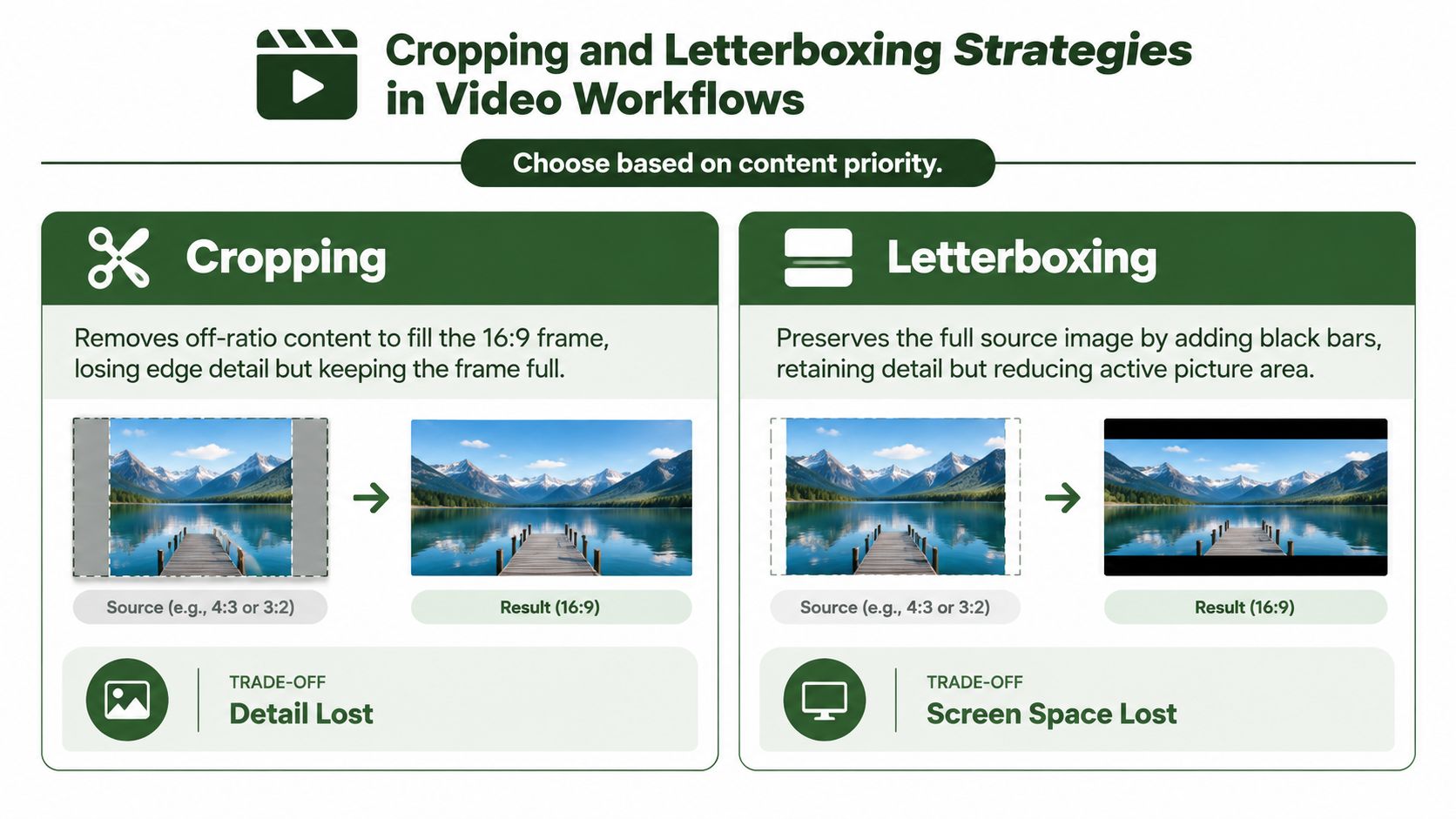
A centered speaker in a wide frame often tolerates a crop better than a two-person interview. A product demonstration may need the entire object and the operator's hands. A screen recording can lose navigation context when the crop removes a side panel. Subtitles, logos, and lower-thirds may also be clipped even when the main subject remains visible.
When filling the frame helps
Cropping makes sense when the destination is a full-screen presentation and the edges carry little meaning. It can also be appropriate for a mobile derivative where unused space would make the creative feel incidental. But a fixed center crop is a weak default for anything with movement or asymmetrical composition.
An intelligent crop should track the regions that matter:
- Faces and speakers: Keep the active subject inside the crop window as the shot changes.
- Captions and graphics: Reserve space for text rather than discovering clipped overlays after encoding.
- Products and demonstrations: Track the object, not merely the nearest face.
- Screen recordings: Protect the interface region that carries the instruction.
When preserving the whole image wins
Letterboxing is the safer option for archival material, instructional footage, group compositions, and shots where edge context carries meaning. It can look less immersive, but it doesn't pretend that lost content is acceptable. A fit operation preserves the source picture inside the destination canvas, while a fill operation enlarges the picture until the canvas is covered.
A technically valid crop can still be an editorial failure. If the viewer loses the relationship between the subject and its surroundings, the export needs a different strategy.
The same decision applies in reverse. A 16:9 master placed inside a 9:16 canvas preserves all of the original image but leaves substantial unused area. Cropping fills the phone-shaped canvas, yet it can remove a second speaker, a slide, or a product detail. The practical question isn't “Can this file be converted?” It's “Which information must survive the conversion?”
For deeper treatment of bars, fit modes, and framing behavior, see the letterbox aspect ratio guide. At scale, use automatic detection to propose a crop, then flag conflicts for human review instead of treating every source as a centered talking head.
Where 16 - 9 is the Dominant Standard Format
The 16:9 frame became durable because it was a compromise, not because every screen or story naturally has that shape. It accommodates traditional 4:3 television, the 5:3 European format, the 1.85:1 theatrical format, and the wider 2.35:1 CinemaScope and Panavision format through combinations of cropping, padding, and reframing. That compromise made it practical for production, broadcast, television playback, and widescreen digital distribution.
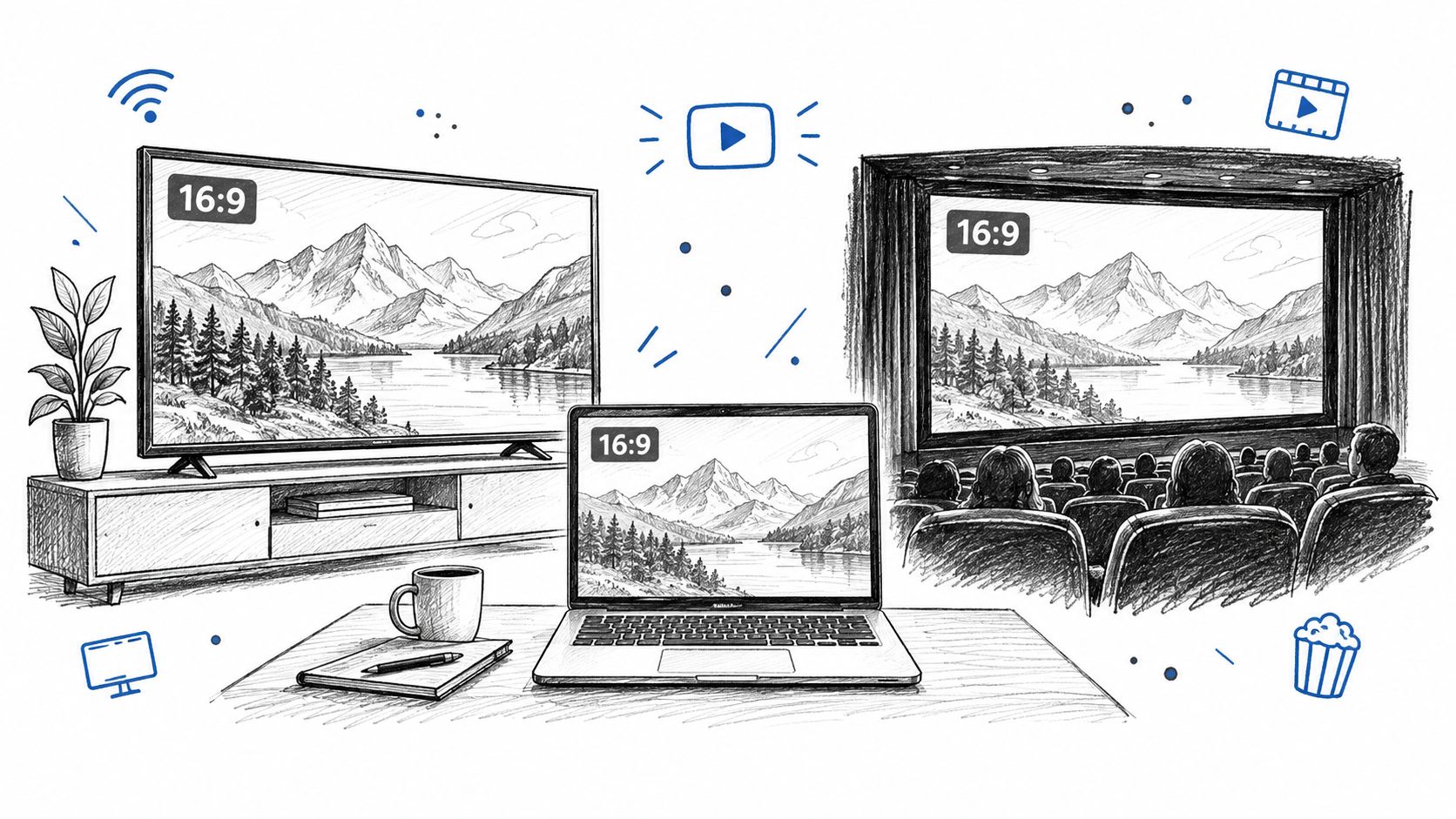
Today, 16:9 remains the natural source canvas for long-form web video, conventional television playback, presentation recordings, computer displays, and many broadcast workflows. It gives editors room for side-by-side interviews, slides, demonstrations, and environmental context. That makes it a strong master format even when the final campaign also needs vertical versions.
The master is not the whole distribution plan
Long-form platforms generally accept and present widescreen video cleanly, while TikTok, Reels, and Shorts favor 9:16 full-screen video. A creator who shoots only for the final long-form player may find that the subject sits too far from the center for a vertical crop. A creator who shoots only vertical may struggle to build a comfortable widescreen presentation from the same material.
The practical compromise is to compose the 16:9 source with downstream derivatives in mind. Keep important subjects within a flexible central region when the story allows it, but don't force every shot into a narrow middle strip. A two-person interview may need separate crops, alternate edits, or a new vertical layout rather than a single automated transcode.
The following video offers a visual reference for how the format appears across common screen contexts:
Use 16:9 as a source composition and derivative strategy, not as a universal delivery answer. The strongest pipeline keeps the widescreen master intact, then generates each alternate format according to its own visual hierarchy.
Scaling and Optimizing 16 - 9 Content for Automation
High-volume processing exposes weaknesses that manual editing can hide. A human can nudge a crop for one interview, move a caption for one product clip, and notice that a screen recording has lost its sidebar. A batch pipeline needs explicit rules for deciding which operations are safe and which outputs require review.
Start by classifying the operation:
| Operation | What changes | Re-encoding needed |
|---|---|---|
| Container remux | Packaging and stream arrangement | Often no, if codecs and parameters remain compatible |
| Metadata adjustment | Display interpretation or signaling | Not necessarily, but validate playback |
| Proportional scale | Pixel dimensions | Yes, for the video stream |
| Crop or pad | Visible composition and canvas | Yes |
| Overlay or subtitle burn-in | Picture content | Yes |
This distinction prevents a common waste pattern. Teams sometimes re-encode a file merely to move it into another container, then later re-encode it again for resizing. If the first operation changes no video pixels and the streams are compatible, a remux may be enough. Conversely, changing the visible frame cannot be solved by copying the original stream into a new wrapper.
A practical derivative pipeline
A reliable workflow can process one source into several outputs without treating them as identical:
- Inspect the source. Read dimensions, rotation metadata, codec details, frame timing, audio streams, and existing captions.
- Set the delivery contract. Define the target canvas, codec constraints, audio behavior, and whether the output must fill or fit.
- Detect protected regions. Find faces, text, logos, products, and screen areas that the crop must preserve.
- Calculate the crop window. Use the target ratio and the detected regions to find a viable framing.
- Track movement. Pan the crop when the subject moves instead of applying one static center window.
- Generate a review flag. Escalate cases where protected regions conflict or the crop becomes unstable.
- Encode only the required derivatives. Keep a proportional 16:9 output when no composition change is needed, and create separate reframed outputs when it is.
RenderIO is one option for this kind of implementation. Its cloud API accepts FFmpeg commands through a REST endpoint and supports operations such as resizing, transcoding, watermarking, thumbnail generation, audio extraction, and batch conversion. It can also report progress through polling or webhooks, which is useful when a pipeline needs to separate completed outputs from jobs requiring review.
What usually goes wrong
A fixed center crop is fast, but it fails on asymmetrical compositions. A fit-everything policy protects content, but it may produce weak mobile creative with too much unused space. Rendering every possible format for every source creates unnecessary compute, while rendering only the master leaves distribution teams to solve framing manually.
Build validation into the job, not into a later complaint. Check that the output dimensions match the contract, that the active picture isn't unintentionally stretched, that captions remain visible, and that the selected crop follows the intended subject. For high-volume systems, store the crop decision and source metadata alongside the output so a reviewer can understand why a particular frame was generated.
The best automation doesn't remove editorial judgment. It handles predictable scale operations, identifies obvious conflicts, and routes ambiguous footage to a person. That division keeps 16:9 masters clean while giving vertical derivatives the framing attention they actually need.
Use RenderIO to send FFmpeg-based resize, crop, pad, and conversion jobs through an API rather than maintaining your own processing infrastructure. If you're building a pipeline for 16:9 masters and short-form derivatives, visit RenderIO to explore a workflow that can process outputs at scale and return results through polling or webhooks.