Lossless compression shrinks data so the original bytes can be reconstructed exactly. The practical question isn't whether that sounds safer, but when preserving every byte is worth the storage and CPU cost.
You may be standing in front of that decision now. A 4K ProRes master is about to enter an FFmpeg-backed automation pipeline, and you need to decide whether to preserve each frame for future editing or convert it to H.264 for cheaper storage and delivery. The answer depends on what happens after the file leaves your workstation.
A lossless encode keeps the source information intact. A lossy encode permanently removes information that the encoder considers less important, often producing a much smaller file that still looks or sounds acceptable. The distinction matters most when another tool will decode, edit, analyze, or encode the result later.
This guide approaches what is lossless compression from a video-engineering perspective. We'll move from the definition to the mechanics, compare codecs such as FFV1, HuffYUV, Ut Video, FLAC, and PNG, and finish with FFmpeg commands suitable for local jobs or a cloud backend such as RenderIO.
Table of Contents
- A Clear Definition of Lossless Compression
- How Lossless Compression Actually Works
- Common Lossless Codecs and Algorithms
- Trade-Offs That Matter in Real Pipelines
- Lossless FFmpeg Commands You Can Use Today
- When Lossless Is the Right Choice and When It Is Not
- FAQ on Lossless Compression
A Clear Definition of Lossless Compression
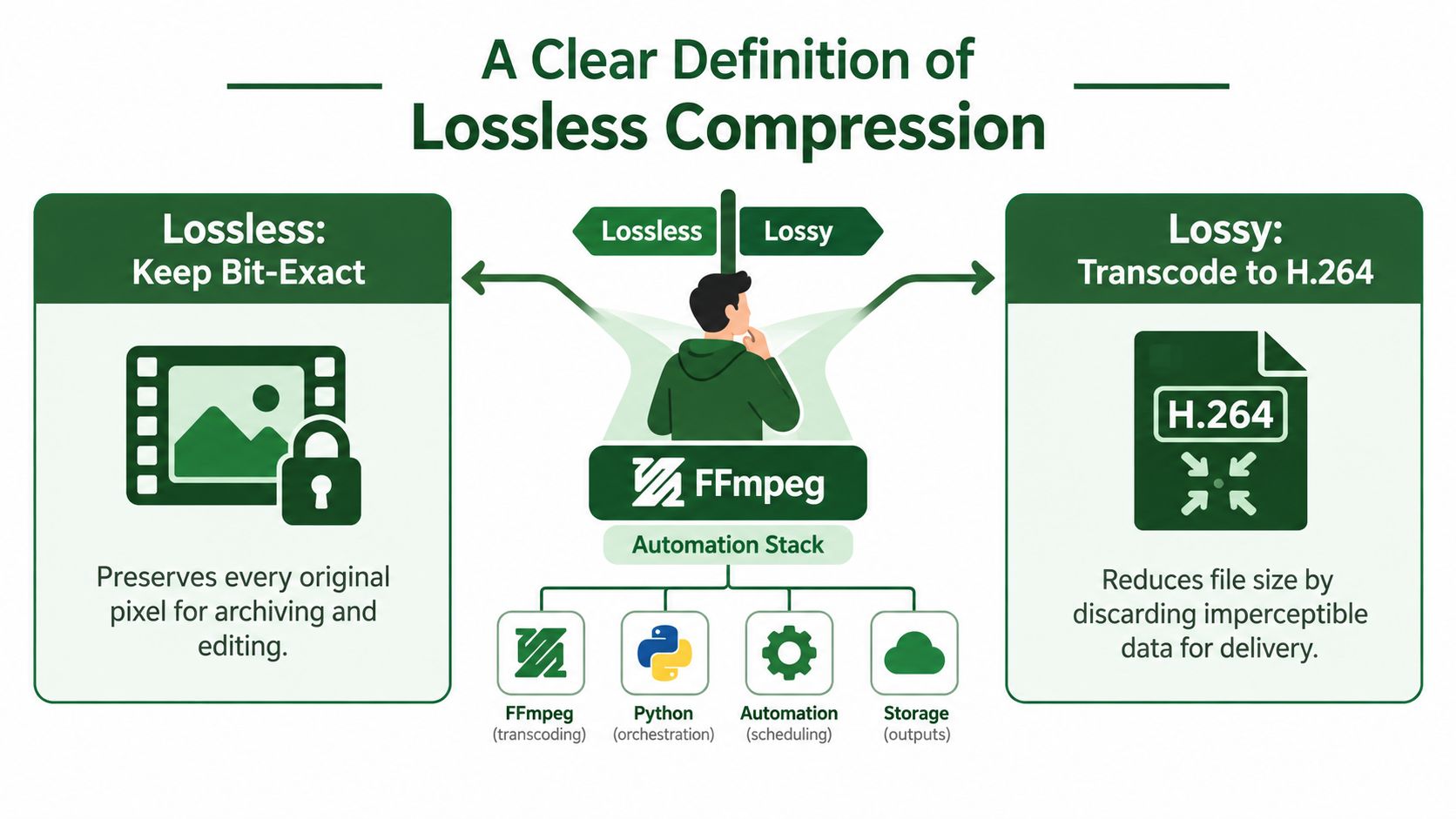
Suppose your automation stack receives a camera master, extracts frames, adds graphics, creates a mezzanine file, and later generates H.264 and AV1 delivery versions. If you apply lossless compression at the right stage, every decoded sample matches the input sample. If you apply lossy compression first, later stages can work only with the information that survived that first encode.
Lossless compression is an encoding method whose decoder reproduces the original data exactly. The decoded output has the same bytes, pixels, samples, or values as the source presented to the encoder. The compressor may rearrange information, identify repetition, predict values, or assign shorter codes, but it can't round values, quantize coefficients, or discard details for visual convenience.
Lossy compression follows a different contract. H.264, H.265, and AV1 delivery encodes can remove detail that viewers are unlikely to notice, allowing much smaller files. Once the encoder discards that information, decoding cannot restore it. Re-encoding the result with a lossless codec preserves the already-degraded file, not the original master.
The idea applies well beyond video. ZIP archives use lossless data compression for general files, PNG preserves image pixels, and FLAC reconstructs audio samples exactly. Video codecs such as FFV1 and HuffYUV apply similar principles while also exploiting relationships between neighboring pixels and frames.
Exact reconstruction is the useful property
A lossless file earns its storage cost when downstream work needs the source unchanged.
- Archival masters: You can decode the file later without introducing a compression generation.
- Intermediate media: Editors and compositors can exchange material without adding avoidable artifacts.
- Scientific or structured data: Exact numeric reconstruction can matter more than a smaller object.
- Audio masters: FLAC can reduce storage while retaining the original samples.
- Frame analysis: Computer-vision or quality-control systems won't inspect artifacts introduced by an earlier lossy encode.
That doesn't make lossless automatically superior. Delivery files are judged by playback compatibility, bandwidth, storage, and decode support. A lossless master may be the right source of truth while a lossy derivative is the right file for a viewer.
The research question has also moved beyond generic file shrinking. Recent work focuses on domain-specific compressors for scientific floating-point data, time series, and large-language-model outputs, as discussed in the 2025 ASPLOS paper on scientific floating-point compression. The important question is increasingly whether a lossless method beats a specialized workflow for a particular workload.
How Lossless Compression Actually Works
A practical codec usually combines several techniques. Each one looks simple in isolation, but the combination lets a compressor describe predictable data with fewer bits while retaining a complete recipe for reconstruction.
Entropy coding gives common symbols shorter descriptions
Start with a byte sequence such as AAAAAAABBC. The letter A appears repeatedly, while B and C occur less often. A Huffman coder can assign a short bit pattern to frequent symbols and longer patterns to rare symbols, using a decoding table shared by the encoder and decoder.
The decoder reads the bitstream, consults that table, and emits the original sequence in order. It doesn't guess whether an A was intended. The code structure identifies it unambiguously. Arithmetic coding uses a different representation, assigning the sequence to a progressively narrower numeric interval, but the principle remains the same: likely symbols cost fewer bits.
Dictionary coding replaces repeated strings with references
Dictionary methods look for repeated substrings rather than only repeated individual bytes. LZ77, which underpins the ideas used by DEFLATE, can replace a repeated passage with a back-reference such as “go back a certain distance and copy a specified length.”
A ZIP or gzip stream can therefore describe recurring text, markup, or binary patterns through short references. The decoder maintains the same sliding window, follows each reference, and rebuilds the exact original bytes. LZW uses a growing dictionary of previously seen strings and replaces recurring sequences with dictionary entries.
Dictionary coding works best when the data contains repeated patterns. A compressed archive of similar files may benefit substantially, while already-compressed or high-entropy data may offer little redundancy to exploit.
Prediction stores the error instead of the full value
Video codecs add spatial prediction. A pixel often resembles the pixel above it, the pixel to its left, or a value estimated from neighboring samples. Rather than store the full sample repeatedly, a codec predicts the value and records the residual, the exact difference between prediction and source.
FFV1 and HuffYUV use predictive approaches for intra-frame video. A flat region might produce residuals close to zero, and those residuals are easier to encode efficiently than the original pixel values. The decoder performs the same prediction, adds the residual, and recovers every source sample.
Practical rule: A prediction can be wrong and still be lossless. The codec preserves the residual needed to correct the prediction exactly.
Real codecs combine these families. A video encoder may transform or predict samples, represent the resulting residuals efficiently, and finish with entropy coding. The final file also carries headers, timing information, pixel-format details, and other metadata needed for correct decoding.
The video compression techniques guide places these choices in the broader FFmpeg workflow. The key distinction is simple: lossless compression can change the representation, but it can't change the decoded content.
The video below offers a visual introduction to the same underlying ideas.
Common Lossless Codecs and Algorithms
Treat the following list as a job-matching reference, not a complete catalog. The right codec depends on whether you need random access, broad playback support, fast decoding, high bit-depth preservation, or a container that your next application already accepts.
| Codec | Media Type | Typical Container | Primary Use Case |
|---|---|---|---|
| PNG | Image and image sequence | PNG files, video containers where supported | Pixel-exact stills, graphics, and rendered frames |
| JPEG 2000 lossless profile | Image and video | JP2 or MXF workflows | Archival imaging and specialized production |
| gzip | General data | .gz, tar archives |
Metadata, logs, and transportable sidecars |
| bzip2 | General data | .bz2 |
General archives where its format is already established |
| zstd | General data | .zst, application-defined formats |
Fast application and pipeline compression |
| FLAC | Audio | FLAC, Matroska, other supported containers | Music, broadcast audio, and audio masters |
| ALAC | Audio | MP4 or M4A | Exact audio in Apple-oriented workflows |
| FFV1 | Video | Matroska | Archival intra-frame masters |
| HuffYUV | Video | AVI and other supported containers | Fast intermediate editing |
| Ut Video | Video | AVI, Matroska, MOV, and other supported containers | Intermediate files and editing exchange |
| H.264 lossless profile | Video | MP4, Matroska, and supported production containers | Specialized handoff workflows |
| H.265 lossless profile | Video | MP4, Matroska, and supported production containers | Specialized high-efficiency handoffs |
| AV1 lossless profile | Video | Matroska, WebM, and supported containers | Modern workflow experiments and handoffs |
PNG combines filtering with DEFLATE-style compression. It's a strong choice for UI graphics, diagrams, and frame sequences where every pixel matters, although a large photographic sequence can be awkward to manage as individual files.
For audio, FLAC is usually the practical starting point. ALAC serves a similar exact-reconstruction role inside MP4-family files, especially when downstream tools expect Apple-compatible media. If your immediate concern is reducing an audio asset while choosing between exact and perceptual encoding, this guide on how to shrink audio file size provides useful workflow context.
Video needs more care. FFV1 is commonly chosen for archival Matroska files because it supports intra-frame lossless storage and integrity-oriented workflows. HuffYUV and Ut Video are often more attractive for intermediate work where decode responsiveness matters. Lossless modes inside H.264, H.265, and AV1 can fit a handoff requirement, but support varies more across players, editors, hardware decoders, and containers.
Before selecting a codec, check the next application rather than trusting the filename extension. The video codec reference is useful background when a pipeline must distinguish the codec from its container.
Trade-Offs That Matter in Real Pipelines
Lossless compression removes avoidable redundancy, but it doesn't make video small in the same way a delivery encode does. For many source types, a lossless video file can be roughly three to ten times larger than a sensible lossy encode, as stated in the provided compression guidance. That range is a planning warning, not a promise for every source.
Storage and bitrate behavior
Lossless bitrate depends heavily on the image content, pixel format, noise, grain, motion, and prediction success. A clean animation may compress more readily than noisy camera footage. A storage planner therefore shouldn't estimate capacity from duration alone.
CPU affects queue design
A codec may decode quickly but take more effort to encode. FFV1 mode 1 and Huffman-oriented codecs are often selected when predictable decoding matters, while the encoder still has to analyze and code each frame. In a cloud pipeline, that choice affects queue duration and compute consumption even when the command itself is short.
Bit depth and packing preserve production detail
Lossless encoding can preserve 10-bit and 12-bit material without reducing it to an 8-bit representation. That matters when an intermediate will undergo grading, keying, compositing, or another operation that depends on the original sample precision.
Chroma format changes the calculation
Lossless 4:2:0 remains lossless for the 4:2:0 source. It doesn't restore chroma samples that were absent before encoding. A 4:4:4 source carries more chroma information, so its lossless representation can require more storage than a comparable 4:2:0 source.
Containers constrain handoffs
Matroska is a natural fit for FFV1 archival files. MOV and AVI can be practical for certain intermediate codecs, while MXF workflows depend on the particular codec and operational pattern. A file can be mathematically lossless and still be unusable if the receiving editor can't open the codec-container combination.
| Codec | Typical Compression vs Source | Encode CPU | Decode CPU | Best Bit Depth | Common Container |
|---|---|---|---|---|---|
| FFV1 | Source-dependent, often substantially larger than lossy delivery | Moderate to high | Light to moderate | 8-bit, 10-bit, 12-bit | Matroska |
| HuffYUV | Source-dependent, designed for speed | Low to moderate | Light | Commonly 8-bit workflows | AVI |
| Ut Video | Source-dependent, intermediate-oriented | Moderate | Light to moderate | 8-bit and higher-depth variants | AVI, MOV, Matroska |
| PNG | Strong on simple graphics, variable on photographs | Moderate to high for sequences | Light to moderate | Integer formats supported by the workflow | PNG, supported video containers |
| FLAC | Source-dependent audio compression | Moderate | Light | Source-dependent PCM depth | FLAC, Matroska |
A lossless codec protects fidelity, not your budget. Measure storage growth and queue time with representative media before making it the default.
Lossless FFmpeg Commands You Can Use Today
FFmpeg exposes lossless workflows through the same command-line interface used for ordinary transcodes. The important details are the codec, pixel format, container, frame timing, and whether you need an archival master or an editing intermediate.
Archive video with FFV1
ffmpeg -i input.mov -c:v ffv1 -level 3 -g 1 -slicecrc 1 -c:a copy archive.mkv
-c:v ffv1 selects FFV1. -level 3 selects the FFV1 version 3 feature set, -g 1 makes every frame an intra frame, and -slicecrc 1 adds slice-level checksums. The Matroska output is a practical archival target, while -c:a copy preserves a compatible audio stream without re-encoding it.
If the source audio isn't already suitable for copying, encode it separately or choose FLAC:
ffmpeg -i input.mov -c:v ffv1 -level 3 -g 1 -slicecrc 1 -c:a flac archive.mkv
Create an editing intermediate
ffmpeg -i input.mov -c:v utvideo -pix_fmt yuv422p10le -c:a copy intermediate.mov
Here, -c:v utvideo selects Ut Video, and -pix_fmt yuv422p10le requests 10-bit 4:2:2 pixel storage. Use this only when the input and receiving application support that format. A lossless codec can't add 10-bit detail to an 8-bit source, and a pixel-format conversion can change the data representation even if the selected codec itself is lossless.
For frame-accurate automation, make timing explicit when the pipeline requires constant frame rate behavior:
ffmpeg -i input.mov -vsync cfr -c:v ffv1 -level 3 -g 1 -slicecrc 1 -c:a flac output.mkv
-vsync cfr asks FFmpeg to produce constant frame rate output. That can be useful when a job manager, frame extractor, or downstream compositor expects stable frame numbering. Validate timestamps and frame count against your source rather than assuming the flag alone guarantees the desired editorial interpretation.
Archive audio with FLAC
ffmpeg -i input.wav -c:a flac -compression_level 8 archive.flac
-c:a flac selects the lossless audio encoder. -compression_level 8 favors encoding compactness over speed. It doesn't change the decoded samples, but it can make the encode more CPU-intensive, so a high-throughput service may choose a lower level after testing.
Encode a PNG image sequence
ffmpeg -i input.mov -c:v png frames_%06d.png
-c:v png writes each decoded video frame as a PNG image. The %06d pattern gives the files sequential names with padded frame numbers. This is convenient for compositing and image analysis, but thousands of separate objects can create more file-management overhead than a single archival video file.
RenderIO or another FFmpeg-as-a-service backend can receive these same codec and flag strings in a job payload. For broader FFmpeg sizing and delivery examples, see the FFmpeg video compression guide.
When Lossless Is the Right Choice and When It Is Not
Choose lossless when the file is a source of truth rather than a viewer-facing derivative. Archival masters, mezzanine files, screen captures, audio masters, and material that will pass through several editing or encoding stages are strong candidates.
It also makes sense when a later process evaluates exact values. A computer-vision system, subtitle alignment tool, or frame-difference test may need stable source samples instead of artifacts from an earlier delivery encode.
Lossless is usually overkill for final playback. Streaming services, mobile uploads, social-media derivatives, and bandwidth-limited transfers generally need a lossy codec with a controlled quality or bitrate target. A well-configured HEVC or AV1 file can be visually indistinguishable from its source for the intended audience while remaining far easier to distribute.
Three misconceptions cause avoidable trouble:
- “Lossless is always safest.” It protects content fidelity, but large files increase storage, transfer, and processing demands.
- “A lossless encode repairs a lossy source.” It doesn't. It only preserves the lossy source exactly.
- “Any lossless codec is future-proof.” Future software still needs to support the codec, container, pixel format, and metadata conventions.
Keep the highest-value exact representation you can responsibly store, then create lossy derivatives for the places where delivery efficiency matters more than byte identity.
The choice is a pipeline decision. Ask what the next consumer needs, how many times the media will be decoded and encoded, and whether exact reconstruction has operational value.
FAQ on Lossless Compression
Should the lossless file become the master archive?
Use a lossless file as the master when it accurately represents the highest-quality source you have and your tools support the chosen codec. FFV1 in Matroska works well for archival video, while FLAC and PNG cover audio and image workflows. Keep the original camera or production source when its metadata, container, or codec carries information your archive process doesn't preserve.
What happens when I encode a lossy file with a lossless codec?
The output will decode to the same lossy content you supplied. FFV1, FLAC, or PNG can't recover detail that H.264, H.265, or another lossy encoder already removed. You may gain an exact copy of that intermediate, but you'll often create a larger file without improving quality.
Do cloud FFmpeg APIs handle lossless transcoding differently from local FFmpeg?
The codec behavior is governed by FFmpeg and the selected options, so the same command can produce the same type of lossless result locally or through a cloud API. The operational profile differs because cloud jobs also consume remote compute, object storage, queue time, and transfer capacity. Test the complete command, including container and pixel format, before automating a large archive.
Is lossless safe for streaming?
It can be technically playable in controlled environments, but it isn't usually a practical viewer-delivery format. Many players and networks expect more compact lossy encodes, and lossless bitrate can vary sharply with source complexity. Use lossless for the master or intermediate, then create a delivery encode.
Is it suitable for an editing proxy?
It can be, especially when a proxy must preserve exact samples or a downstream tool has a specific lossless requirement. Fast codecs such as Ut Video or HuffYUV may be more responsive than an archival choice, depending on the workstation and editor. The commands in the lossless FFmpeg workflow section above provide starting points for testing.
RenderIO lets you submit FFmpeg 7.x commands through a cloud API for video conversion, frame extraction, audio processing, and automated media jobs without managing your own queues and servers. Try the lossless commands above with representative files by visiting RenderIO, then compare output integrity, storage use, and processing time before choosing a production default.